Safety and environment (EHS)
Report incidents, control work with permits to work, assess risks and aspects, and keep the legal register.
EHS covers safety (ISO 45001) and environment (ISO 14001). The default EHS officer is Nurul Aini. Open EHS.
Who can use it
With the default permissions, the EHS officer, the QA roles, Maintenance and the organization admin have full access to EHS. Other roles can view only part of it, or nothing. If you see a safety issue and cannot report it yourself, tell the EHS officer.
An organization can switch standards off under Settings > Organization settings, section Standards you work to. With ISO 14001 off, Aspects, Monitoring and Waste are hidden. With ISO 45001 off, Risk assessment, Permits to work, Inspections, Incidents, Contractors, Health surveillance and Consultation are hidden. Existing records are kept.
Report and close an incident
Open EHS > Incidents. Every incident and near miss is investigated and closed by the EHS officer, and by someone other than the person who reported it.
View as text
%% title: Incident status flow
flowchart LR
  A[Reported] -->|Start investigation| B[Investigating]
  B -->|Record actions| C[Actions]
  C -->|Close incident| D[Closed]
Choose Add. Pick the Type: Near miss, First aid, Medical treatment, Lost time injury, Dangerous occurrence, Occupational illness or Environmental spill / release. Enter Date, Area, What happened, Person involved and Immediate action. The date cannot be in the future.
The EHS officer chooses Start investigation and signs. For a lost time injury, dangerous occurrence, occupational illness or spill, the record shows that authority notification is required.
Choose Record actions. Enter the root cause and the corrective actions. Link the risk assessment that was reviewed (not needed for a near miss). Medical treatment and the notifiable types also need a linked CAPA.
Choose Close incident and sign. Enter the authority notification reference when it is required. The reporter cannot close their own incident.
Incidents
Every incident with its type, area and status.
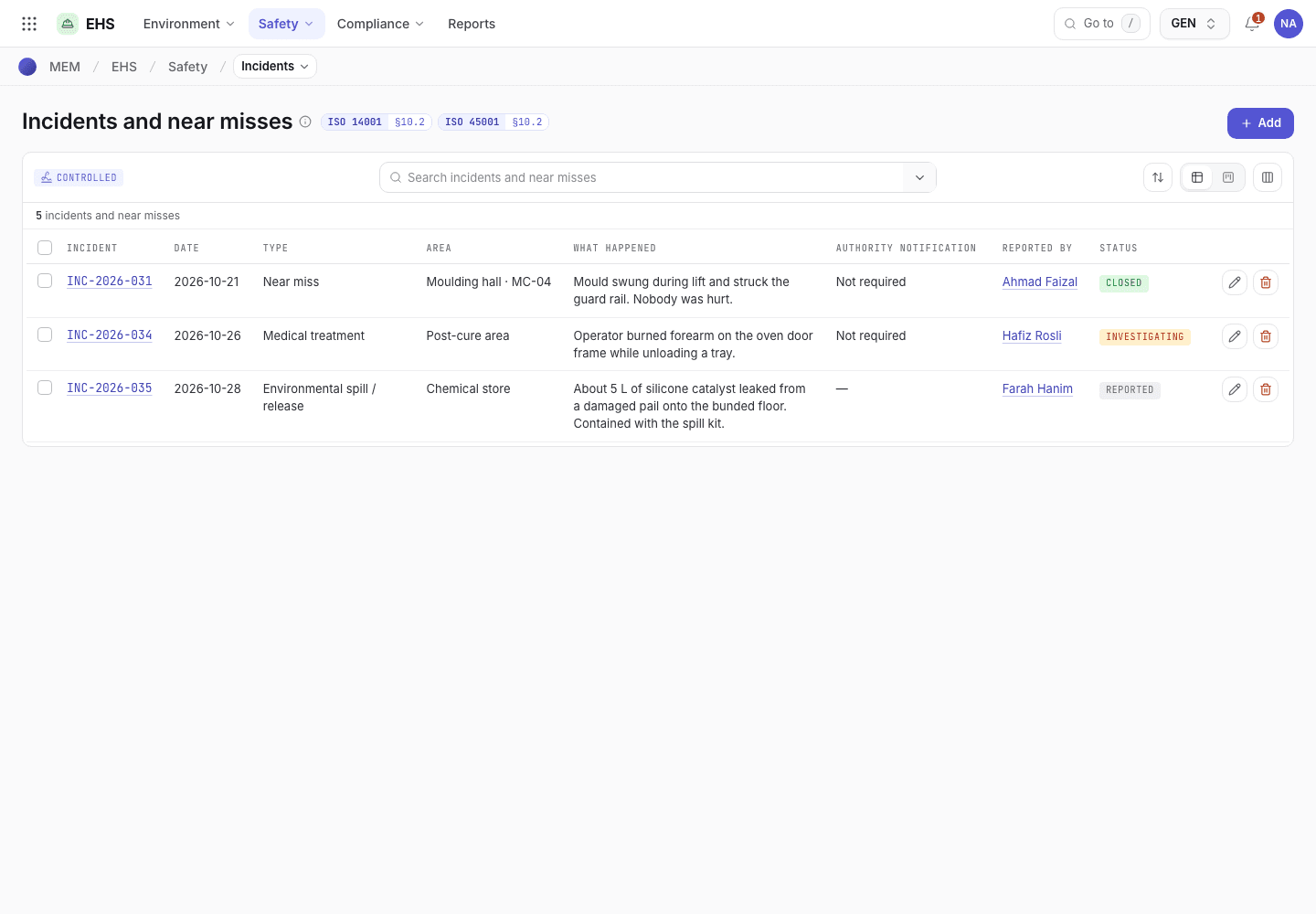
- Add reports a new incident.
- Incident number, type and area.
- Status: Reported, Investigating, Actions or Closed.
Report an incident on the phone
The incident form on a 375 px screen.
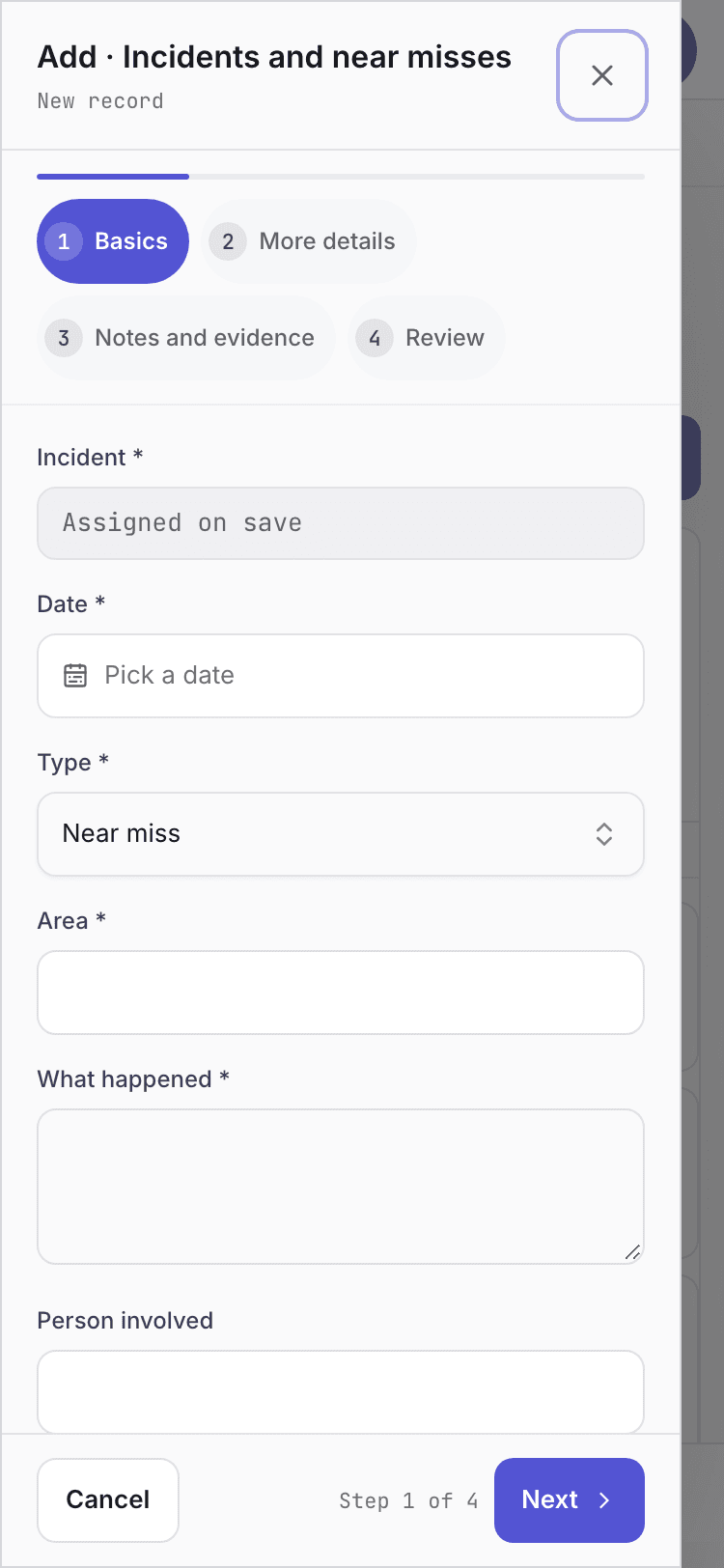
- Pick the type of incident.
- Area and what happened.
- Save the report.
Control work with a permit to work
Open EHS > Permits to work. Types are Hot work, Work at height, Confined space, Electrical isolation (LOTO) and Chemical handling.
View as text
%% title: Permit to work status flow
flowchart LR
  A[Requested] -->|Approve permit| B[Approved]
  B -->|Start work| C[Active]
  C -->|Close permit| D[Closed]
  A -->|Cancel| X[Cancelled]
Choose Add. Enter Work to be done, Location, Machine, Date, Valid hours, Requested by (it starts as you; change it when you record a permit for someone else) and, for outside work, Contractor. Fill in the checks the type needs: isolation and lock-out applied (electrical and confined space), gas test result (confined space), fire watch assigned (hot work), and PPE required (always).
The EHS officer chooses Approve permit and signs. The approver cannot be the requester. A contractor must be on the register, Approved, with valid insurance and a current induction.
When the work begins, choose Start work. When it ends, confirm the area is made safe and handed back, then choose Close permit.
To refuse a request, choose Cancel and type the reason.
Permits to work
Permits waiting for approval, active and closed.
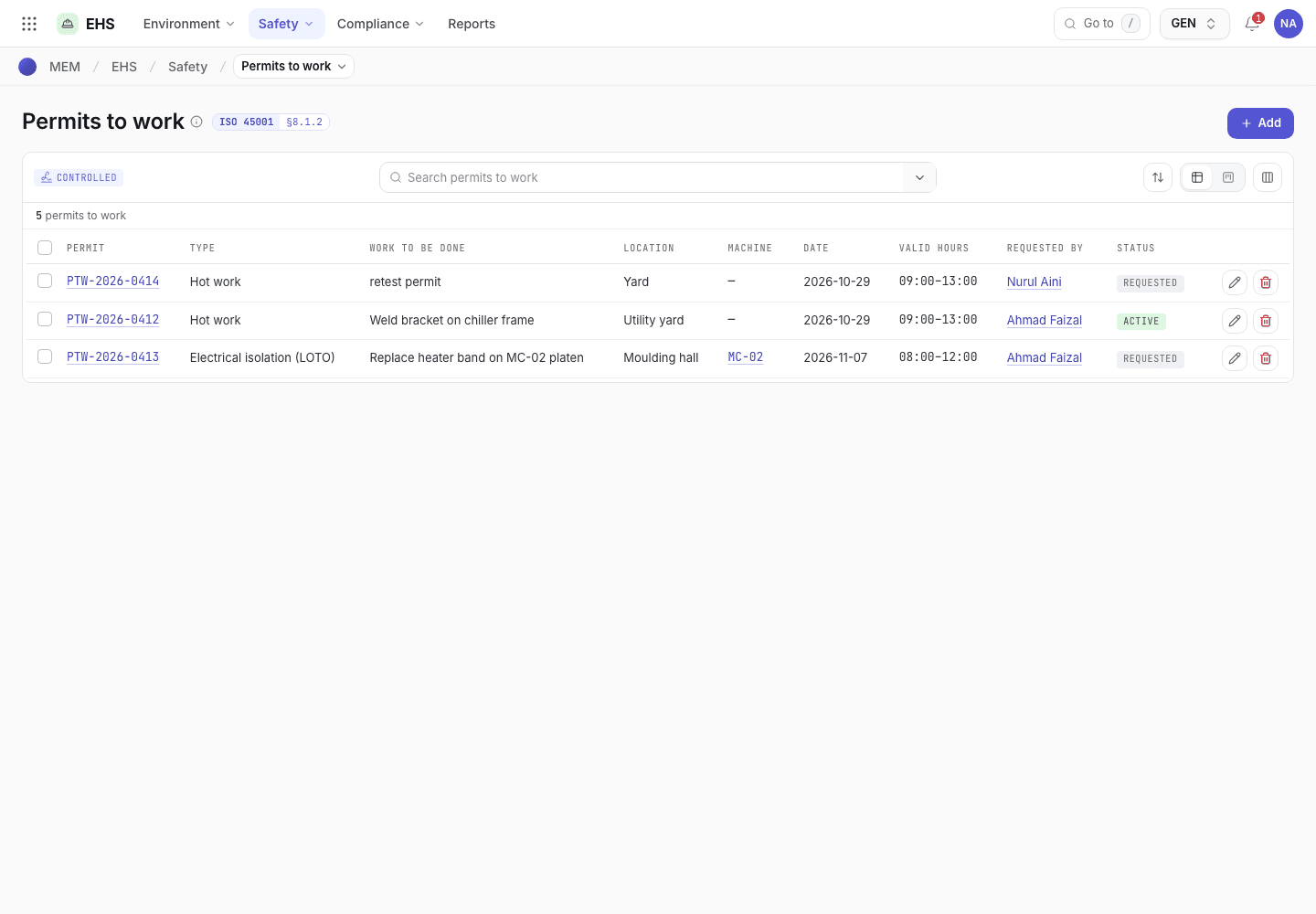
- Add requests a permit.
- Permit number, type and location.
- Status: Requested, Approved, Active or Closed.
Assess risks and environmental aspects
| Record | Flow | Key rule |
|---|---|---|
| Risk assessment | Draft, Assessed, Controlled. Buttons Assess, Approve controls, Re-assess. | Rate likelihood and severity (1 to 5). A score of 15 or more cannot be controlled only by administrative measures or PPE. Residual risk must be below 15 to approve the controls. |
| Aspects | Draft, Evaluated, Controlled. Buttons Evaluate, Approve controls, Re-evaluate. | Rate severity and frequency (1 to 5). A significant aspect needs operational controls. A legal requirement must be linked from the legal register. |
| Monitoring | Draft, Within limit, Closed. Buttons Record reading, Close · action taken. | Enter the measured value and the limit. A legal or permit limit exceeded needs a linked CAPA. |
| Waste | Stored, Scheduled, Shipped, Closed. Buttons Schedule collection, Ship · consignment note, Close · disposal confirmed. | Waste goes only to a contractor with a licence that has not expired. |
Other EHS registers
- Inspections: Planned, Actions open, Closed. Record results, then Close · actions verified.
- Contractors: Pending, Approved. Approve contractor needs valid insurance. Then Record induction. Suspend and Reinstate are available.
- Health surveillance: Scheduled, Recorded, Closed. Record result, then Close.
- Legal register: Draft, Active. Approve, then Record compliance evaluation. A result other than Compliant needs a CAPA.
- Emergency drills: Planned, Done, Reviewed. Record drill, then Review · approve. A drill dated in the future cannot be recorded.
- Consultation: Draft, Recorded. Record · sign. A safety committee meeting needs non-managerial workers taking part.
If the system refuses
The messages are in Maintenance and EHS refusals.