Workspaces
Each company has one workspace. The VIGOR team creates it; you switch between the ones you belong to.
A workspace holds one company's records, people and settings. Factory OS is invite-only, so workspaces are not created from the app: the VIGOR team creates each customer's workspace when it invites the owner (see Invite a customer).
Open /workspaces to see the workspaces your account belongs to and use the Open
workspace Combobox to switch between them.
Belong to more than one workspace? When you sign in, Factory OS opens the one you used last. The first time, or if you were removed from that one, it asks Which workspace?: tap a workspace to open it.
If your account is not in any workspace, the page says so and names the email to ask your administrator to invite. Removed from a workspace by mistake? The same person can invite you again.
Signed in, no workspace yet
What an account without a workspace sees on a phone.
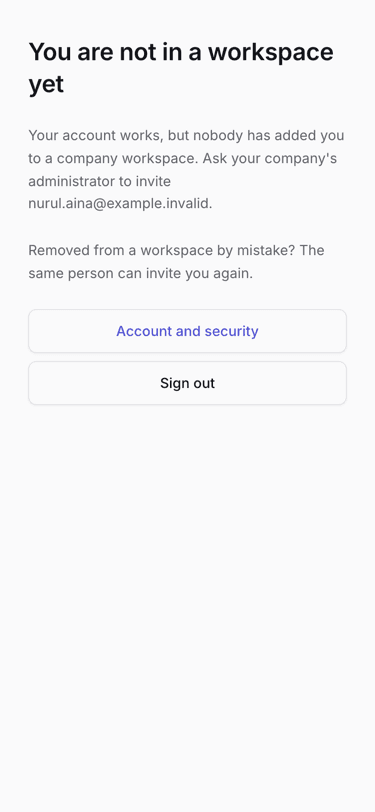
- Ask your company's administrator to invite this email.