Gauges and calibration
Keep gauges in calibration, record and approve a calibration, assess an out-of-tolerance finding and run a gauge R&R study.
A gauge that is out of calibration is locked out of inspection. Overdue gauges are locked out of the tablet and QC screens. The default QA engineer is Jason Wong. The default QA manager is Grace Ooi.
The gauge register
Open Quality > Calibration. The list shows each gauge's Last calibrated, Interval (6 months, 12 months or 24 months), Calibration due and Status.
View as text
%% title: Gauge status flow
flowchart LR
  A[In use] -->|Record calibration, found out of tolerance| B[Out of tolerance]
  B -->|Close · assessment complete| A
  A -->|Quarantine| C[Quarantined]
  A -->|Retire| D[Retired]
  C -->|Retire| D
C -->|Record calibration| A| Status | Meaning |
|---|---|
| In use | Calibrated and available. Shows as overdue once Calibration due has passed. |
| Out of tolerance | Found out of tolerance. Locked until the impact is assessed. |
| Quarantined | Locked out of every inspection. |
| Retired | Locked for good. A retired gauge is not calibrated back into use. |
Record and approve a calibration
Open the gauge and choose Record calibration. The system starts a calibration record, for example CAL-2026-044, with status Draft and you as Recorded by. If you already have a draft for that gauge, it opens instead.
Fill in Calibrated on, Calibrated by (the lab), Certificate no., Reference standard / traceability, As found (In tolerance or Out of tolerance), Readings and error and As left (Pass or Fail). Add Adjusted and Next due if they apply.
A different person (the QA engineer) chooses Approve calibration and signs. You cannot approve your own record.
If the gauge was in tolerance and passed, the record is Closed, the gauge is In use, and Last calibrated and Calibration due are updated. Next due cannot be later than the interval allows.
If As left is Fail, the gauge is Quarantined. If As found is Out of tolerance, the gauge is locked as Out of tolerance and the record goes to Impact assessment. The system lists the inspections made with that gauge since its last good calibration in Records measured since last good calibration.
Calibration records
Every calibration with its gauge, finding and status.
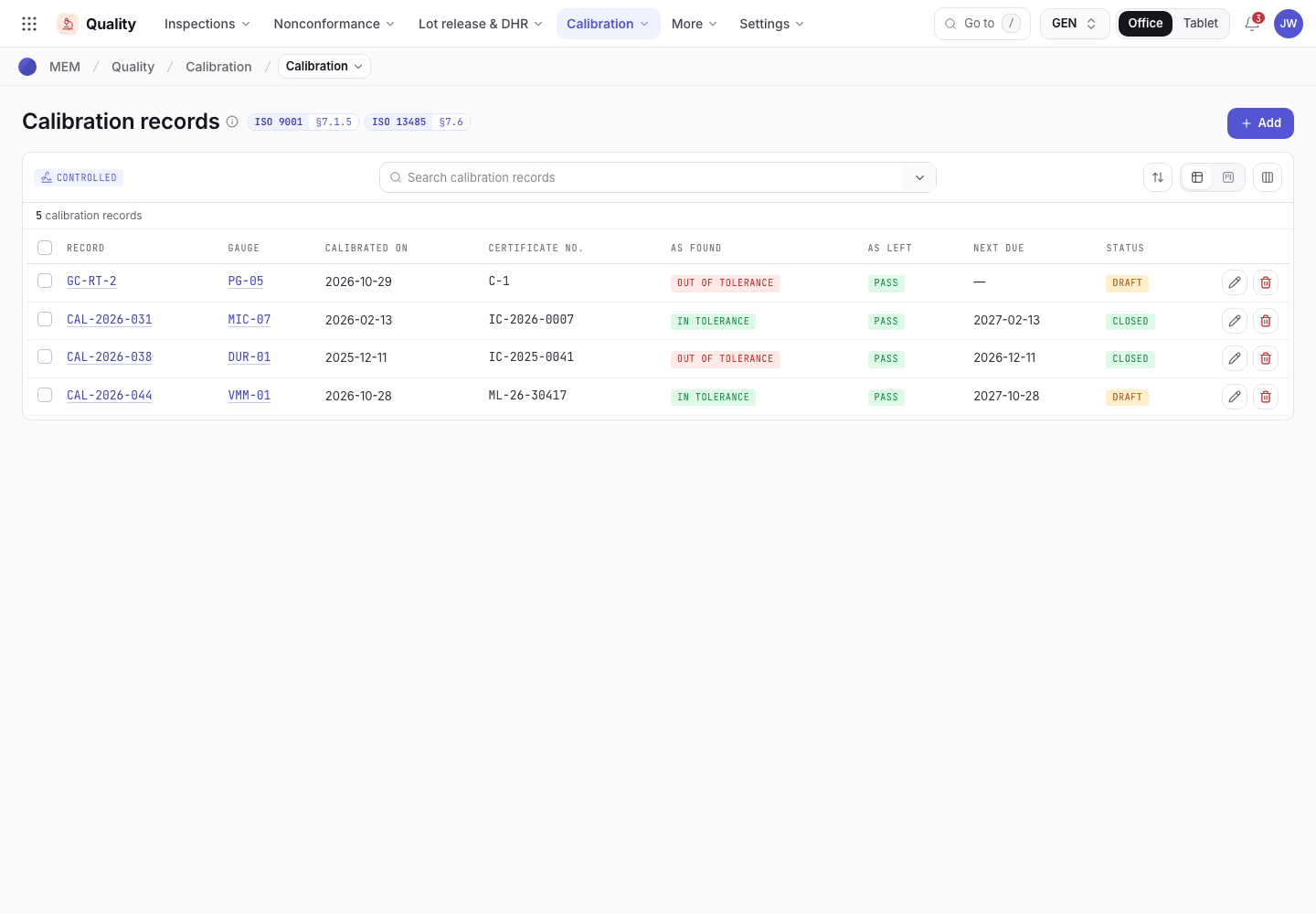
- Calibration records are started from the gauge.
- As found and as left results.
- Status: Draft, Impact assessment or Closed.
Assess an out-of-tolerance finding
View as text
%% title: Calibration record status flow
flowchart LR
  A[Draft] -->|Approve calibration| B{As found out of tolerance?}
  B -->|No| C[Closed]
  B -->|Yes| D[Impact assessment]
  D -->|Raise NCR| D
  D -->|Close · assessment complete| C
Open the record in Impact assessment. Read the affected inspections. Write the Impact assessment and choose a Decision.
If product may be affected, choose Raise NCR. The NCR has source IPQC and disposition Hold · 100% sort, and is linked to the record. See Handle nonconformances and CAPA.
Choose Close · assessment complete and sign. The record is Closed. A gauge that was Out of tolerance goes back to In use.
A calibration record
Readings, impact assessment and the next button.
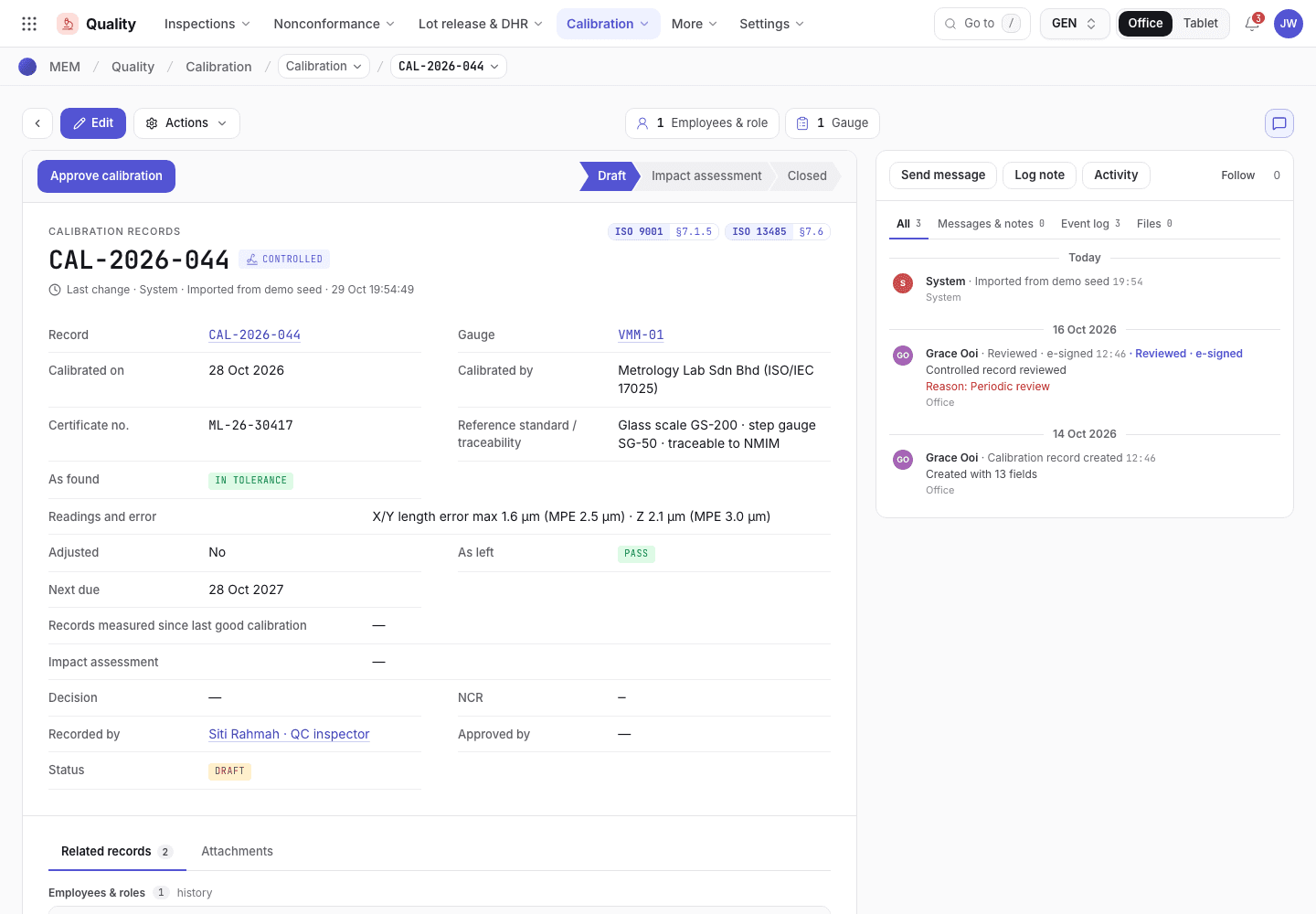
- Raise NCR, or Close · assessment complete.
- Readings, as found and as left.
- Impact assessment and decision.
Quarantine or retire a gauge
On a gauge that is In use, choose Quarantine to lock it out until it is calibrated again, or Retire to remove it for good. A Quarantined gauge can be calibrated again with Record calibration or retired.
Run a gauge R&R study
Open Quality > Gauge R&R. A study shows whether a gauge measures well enough for a characteristic.
View as text
%% title: Gauge R&R study status flow
flowchart LR
  A[Draft] -->|Calculate · submit| B[Submitted]
  B -->|Approve study| C[Approved]
  B -->|Reject · gauge not capable| D[Rejected]
  D -->|Reset to draft| A
Choose Add. Pick the Gauge, the Characteristic and the Method (Average & range or ANOVA). Enter Parts, Operators, Trials, EV σ (repeatability), AV σ (reproducibility), PV σ (part) and Tolerance (USL − LSL).
Choose Calculate · submit and sign. The system fills % study var., % tolerance, ndc and the Result: up to 10% is Acceptable, up to 30% is Conditional, above that is Unacceptable. Fewer than 5 categories (ndc) makes an acceptable study Conditional.
Choose Approve study and sign. For a Conditional result, first write the Justification (conditional). An Unacceptable gauge cannot be approved. Choose Reject · gauge not capable instead: the gauge is Quarantined.
Gauge R&R studies
Each study with its percentages and result.
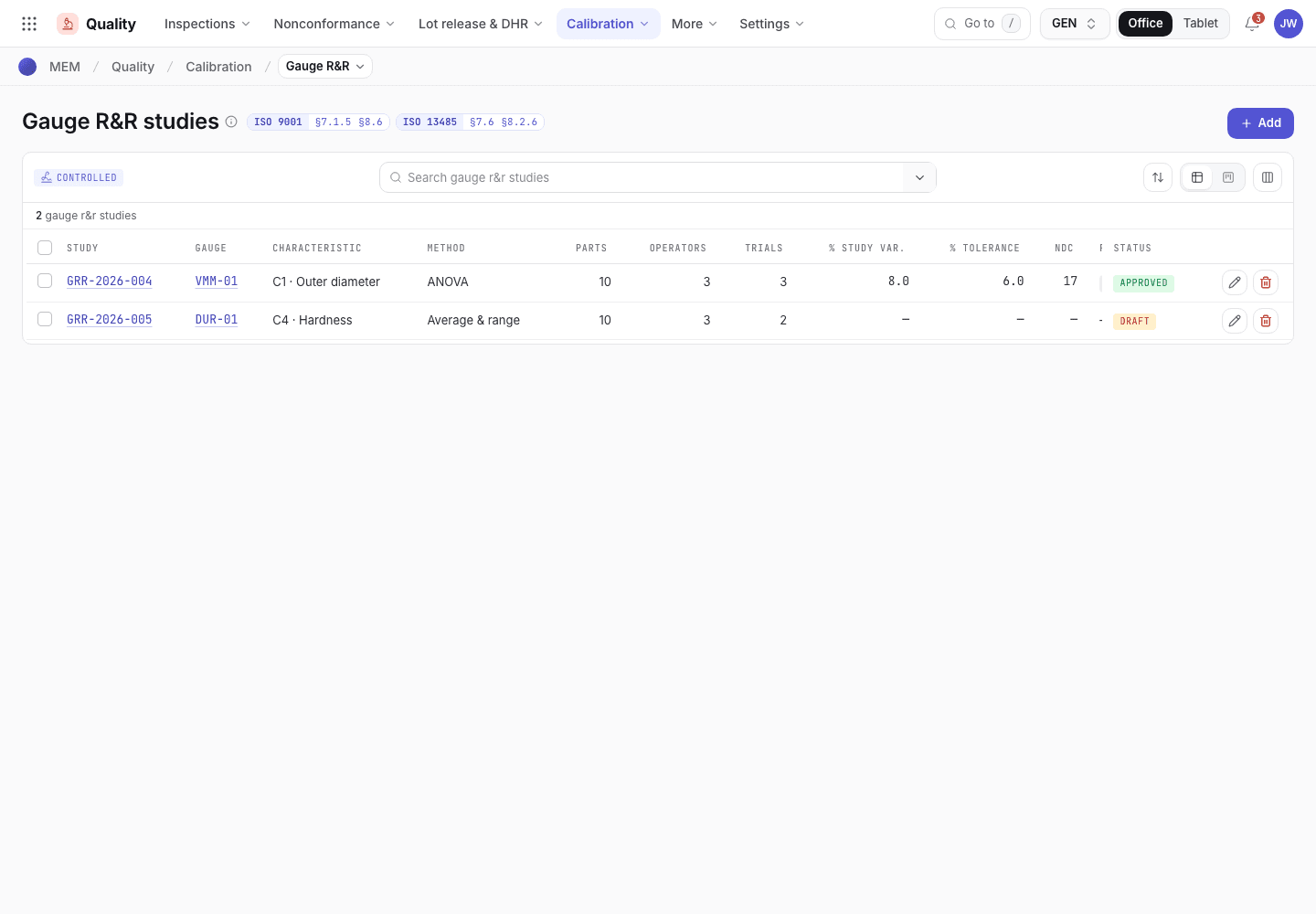
- Add a study.
- % study var., % tolerance and ndc.
- Result: Acceptable, Conditional or Unacceptable.
If the system refuses
The messages are in Training and gauges refusals.