Handle nonconformances and CAPA
Record a nonconformance, decide its disposition, close it with a signature, and run a corrective action from containment to proof that it worked.
A nonconformance report (NCR) records something that did not meet its requirement. A corrective and preventive action (CAPA) fixes the cause. The default QA engineer is Jason Wong. The default QA manager is Grace Ooi.
An open NCR against a lot blocks its release. See Inspect outgoing lots and release them.
Where NCRs come from
Open Quality > NCR. The Source column says where the NCR started.
| Source | Raised by |
|---|---|
| IQC | Incoming inspection of a delivery. |
| FAI | A rejected first article. |
| IPQC | An in-process check or a gauge found out of tolerance. |
| OQC | Hold lot and raise NCR at outgoing inspection. |
| Customer | Raise NCR on a customer complaint. |
You can also choose Add and write one by hand: Source, Record (the record it came from), and Nonconformity.
Close an NCR
An NCR starts open. You close it only with Close NCR. Editing the status does not work.
View as text
%% title: Close an NCR
flowchart TD
  A[NCR open] --> B[Choose a Disposition]
  B --> C{Use as is?}
  C -->|No| D[Close NCR and sign]
  C -->|Yes| E[Write the concession]
  E --> F[QA manager named as approver signs]
  D --> G[NCR closed]
  F --> G
Open the NCR. Choose a Disposition: Use as is, Rework, Scrap, Return to supplier, Hold · 100% sort or Scrap FAI samples · re-setup. A disposition is required.
For Use as is (a concession), also fill in Concession justification, Concession approved by (the QA manager, never the NCR Owner) and Customer approval: Not required · within drawing tolerance or Obtained. If it is Obtained, enter Customer approval ref..
Choose Close NCR. Add a Note (optional). Choose Sign and close NCR. A QA engineer or QA manager signs. For Use as is, the QA manager named as approver signs.
The status becomes closed. If a lot was held, see how to clear the hold in Inspect outgoing lots.
Nonconformance reports
Every NCR with its source, disposition and status.
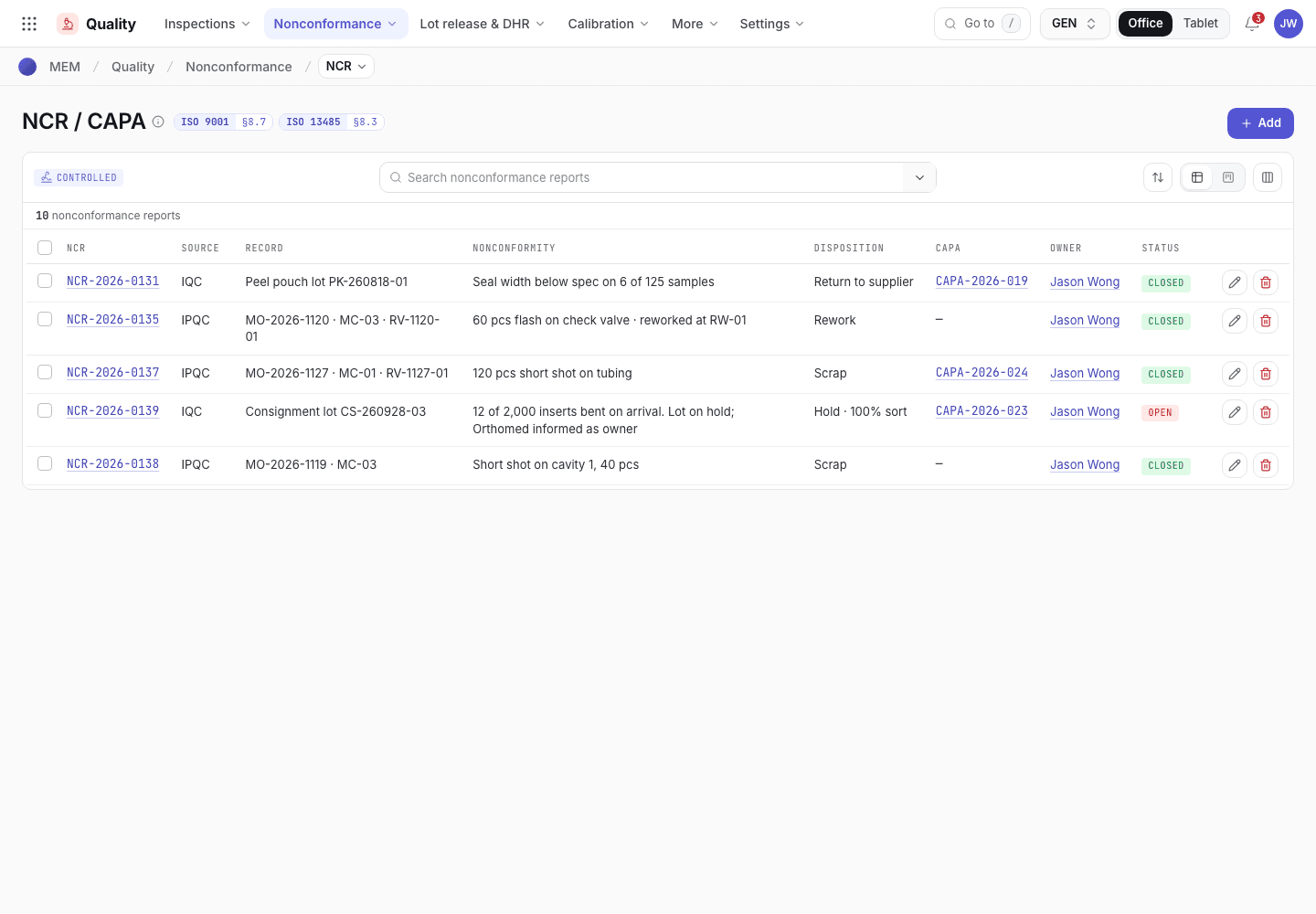
- Add an NCR by hand.
- Source: IQC, FAI, IPQC, OQC or Customer.
- Status: open or closed.
An NCR record
The disposition, the concession fields and Close NCR.
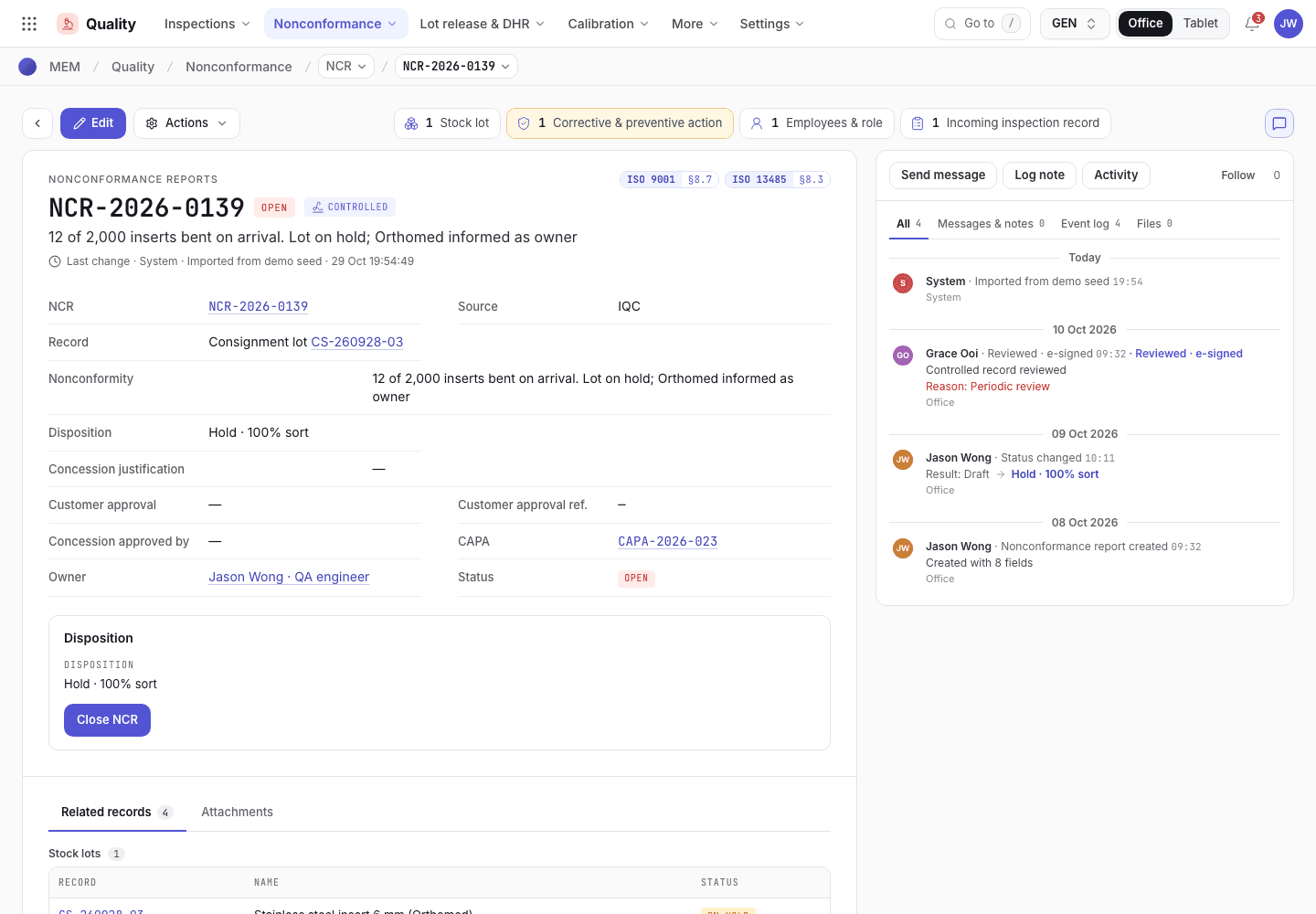
- Choose the Disposition.
- Concession fields for Use as is.
- Close NCR, then Sign and close NCR.
Run a CAPA
Open Quality > CAPA. Choose Add, or raise one from a complaint or a trend review. Enter Title, Type (Corrective or Preventive), Source, Source record, Owner and Due. The owner is you if you leave it blank.
View as text
%% title: CAPA status flow
flowchart LR
  A[Open] -->|Containment done · investigate| B[Investigating]
  B -->|Approve action plan| C[Implementing]
  C -->|Actions complete · verify| D[Verifying effectiveness]
  D -->|Close · effective| E[Closed]
  D -->|Not effective · reopen| B
Open. Set the Risk (Low, Medium, High). Write the Containment, or why none is needed. Choose Containment done · investigate and sign.
Investigating. Pick the Investigation method (5 Why, Fishbone, 8D or Fault tree). Write the Root cause, the Action and the Effectiveness criteria. Choose Approve action plan and sign.
Implementing. Do the action. Choose Actions complete · verify and sign.
Verifying effectiveness. Write the Effectiveness evidence against the criteria. Someone other than the CAPA Owner chooses Close · effective and signs. If the action did not work, write the evidence and choose Not effective · reopen. The CAPA returns to Investigating.
A CAPA record
The stage panel and the button for the next stage.
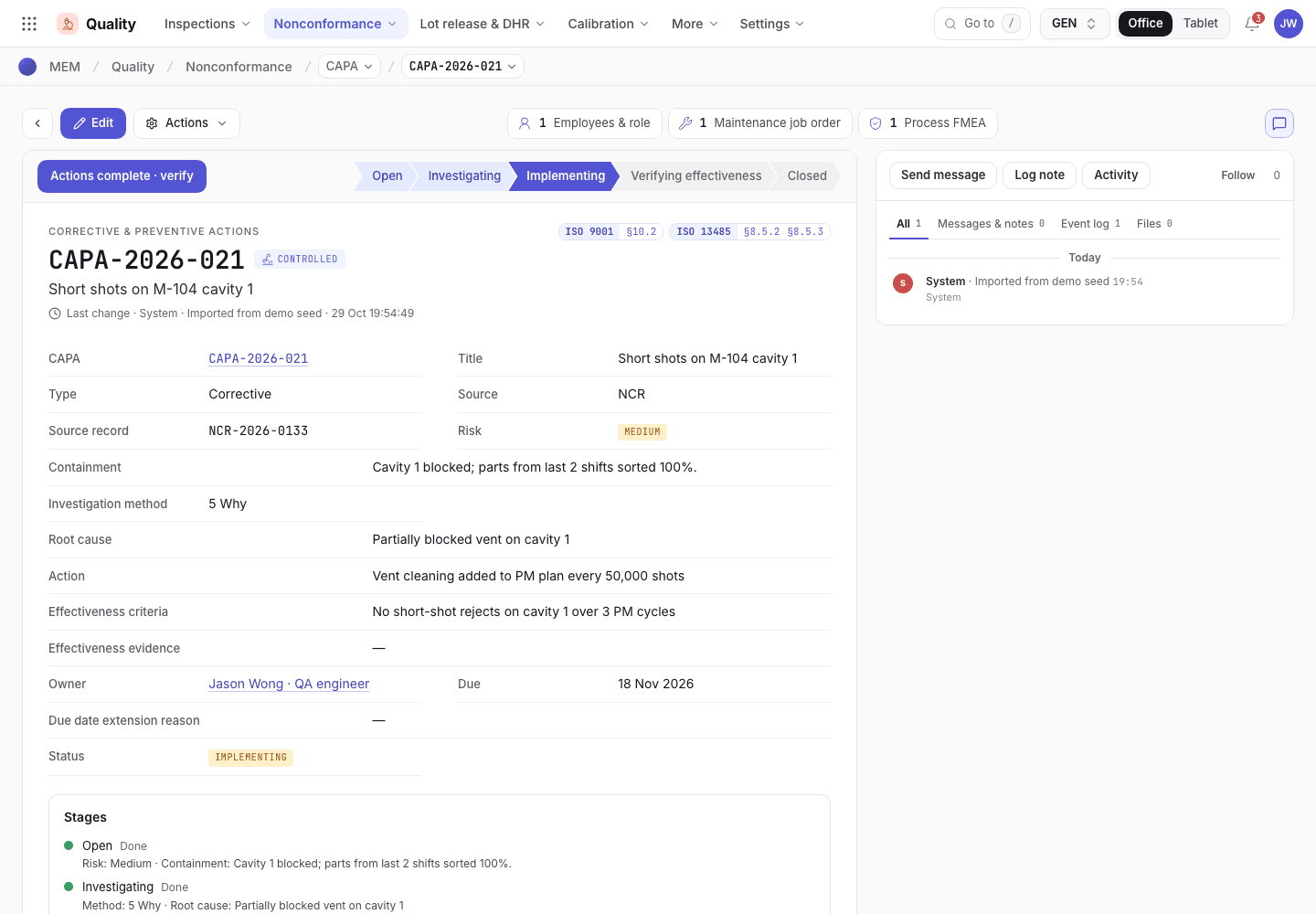
- Stages: Done, Now and Next.
- What this stage needs before you can pass it.
- The button for the next stage.
The owner of a CAPA cannot change once the investigation starts. A Due date cannot move later unless you first write a new Due date extension reason.
Review trends
Open Quality > Trend reviews. A trend review looks at a period and finds signals: repeated or rising NCR categories, complaints, inspection rejects and SPC reactions.
View as text
%% title: Trend review status flow
flowchart LR
  A[Draft] -->|Run analysis| B[Analysed]
  B -->|Re-run analysis| B
  B -->|Raise CAPA from top signal| B
  B -->|Approve review| C[Approved]
Choose Add. Enter Period, From and To. Choose Run analysis.
Read Data analysed and Signal details. If there are signals, choose Raise CAPA from top signal, or write in Decision and actions why no action is needed (at least 20 characters).
The QA manager chooses Approve review and signs. The approver cannot be the person who prepared it.
If the system refuses
The messages are in NCR and CAPA refusals.
Next steps
NCR and CAPA refusalsEvery message and what to do.Sales refusals
Every message Sales gives when it refuses a quotation, order, delivery, packing, dispatch or return step, what it means and what to do.
Handle a customer complaint
Log a complaint, investigate it, decide whether it must be reported to the authority, answer the customer and close it with an NCR or CAPA.