Set up your workspace
The owner's first visit opens a three-step setup - company, site and team - before Factory OS opens.
When the VIGOR team creates your company's workspace, you are its owner. The first time you open Factory OS, a short setup runs before anything else. You can change all of it later in Settings › Organization settings.
Company. Enter the registered company name, registration number, a short name for screens, the site address, and the phone and email printed on documents. The preview shows how quotations, delivery orders and certificates will print.
Site. Tick the standards you work to (ISO 13485, ISO 14001, ISO 45001); they turn on the matching records. Set the working hours used for due dates and shift plans.
Team. Paste one or more email addresses, choose the Factory OS role they get, and add them to the list. Each person's role decides what they see and what they can sign. Choose Send invitations and open Factory OS, or Skip for now and invite people later from Settings › Organization settings › Users & invitations.
Addresses that are not valid emails, or already invited, are marked before anything is sent.
Company step
The first step on desktop, with the letterhead preview.
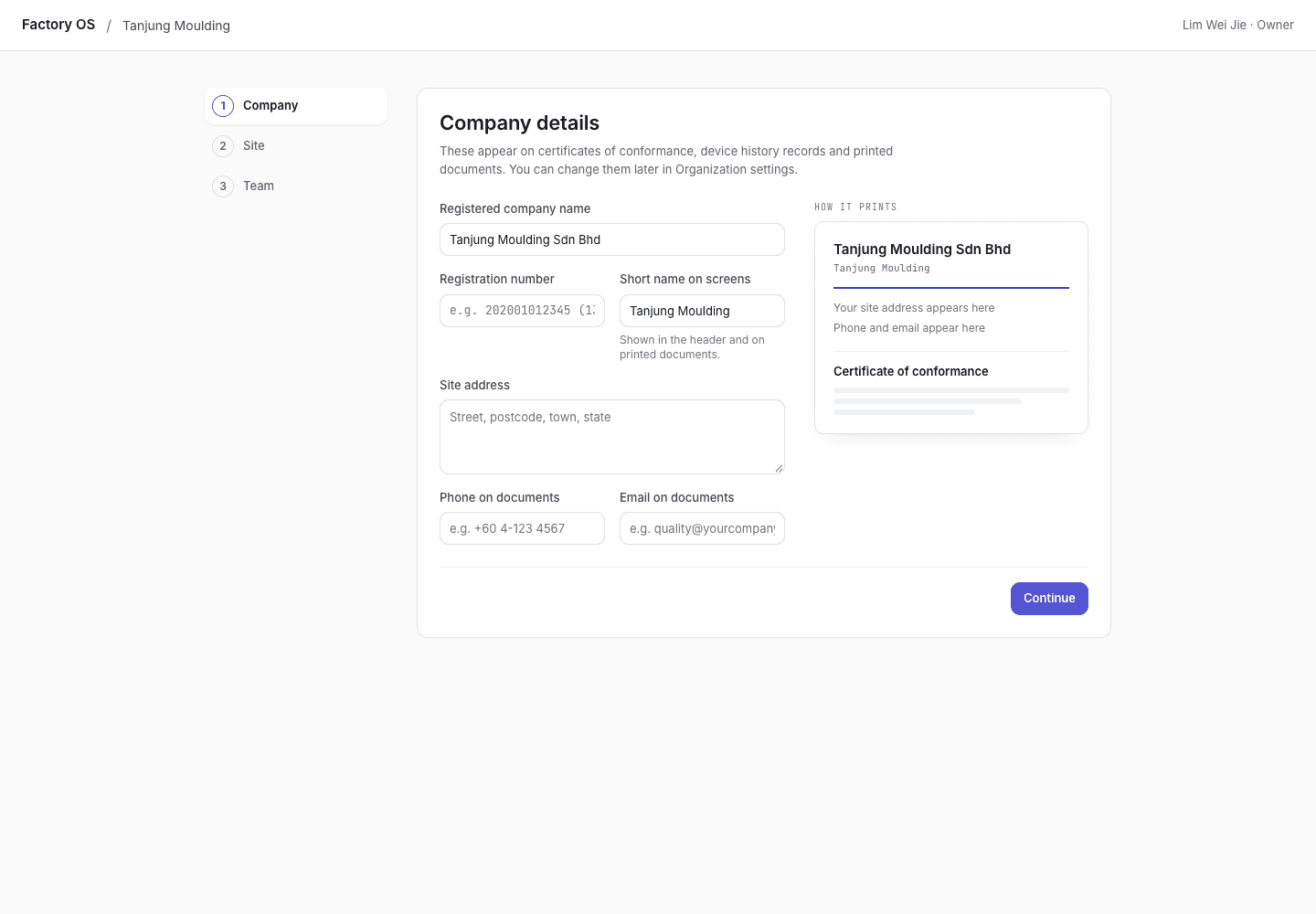
- The three steps. Finished steps show a tick.
- Company details, printed on your documents.
- How the details print.