Inspect incoming material (IQC)
Accept or reject a supplier lot at incoming inspection, and handle nonconforming stock.
Incoming inspection decides whether a delivered lot may be used. The default roles are the QC inspector (Siti Rahmah) and QA (Jason Wong). Open Quality > Incoming.
View as text
%% title: Incoming inspection result
flowchart LR
  A[Pending] -->|Accept · release lot| B[Accepted]
  A -->|Reject · hold lot| C[Rejected, NCR raised]
  D[On hold] -->|Accept · release lot| B
  D -->|Reject| C
Inspect a lot
How the lot is judged follows its item type, set in Inventory > Item types:
| Item type setting | What you enter |
|---|---|
| CoA + tests | Tick that the Certificate of Analysis matches the PO spec and lot number. Enter hardness (Shore A) and cure ts2 at 170 C; each is judged against the limits set on the item in Inventory > Materials & items, shown beside the field. Gauges DUR-02 and MDR-01 must be in calibration. |
| AQL sampling | Enter Defectives found in sample. The screen shows Level · code, Sample n and AQL · Ac / Re. |
| CoC only or None | Tick that the certificate of conformity was checked against the delivery order, and write the Inspection results. |
Open the inspection that is Pending, for example IQ-2026-0423. The row names the lot, item,
quantity and supplier.
Enter the readings or counts above. A reading outside its limit turns red and says which limit it breaks, for example "Hardness 50 is above 42". Sign · Accept lot stays on the screen but is disabled until the certificate is ticked and every reading is within its limit; Reject lot and raise NCR is offered beside it. A compound whose item has no incoming limits shows no limits set and can only be rejected until the limits are set on the item.
To release the lot, choose Sign · Accept lot. The lot is Released and can be received into stock and used.
To refuse the lot, choose Reject lot and raise NCR. The reason is filled in from the readings that are out of limit ("Hardness 50 is above 42"); change it if you need to. With no readings, write the reason in Reason for the rejection (if there are no readings). The lot is marked Rejected, an NCR returns it to the supplier, and the inspection shows the NCR number.
An inspection that is On hold can be accepted again with Accept · release lot or rejected with Reject.
Incoming inspections on the desktop
Deliveries waiting for a decision, rejected lots and the latest decisions.
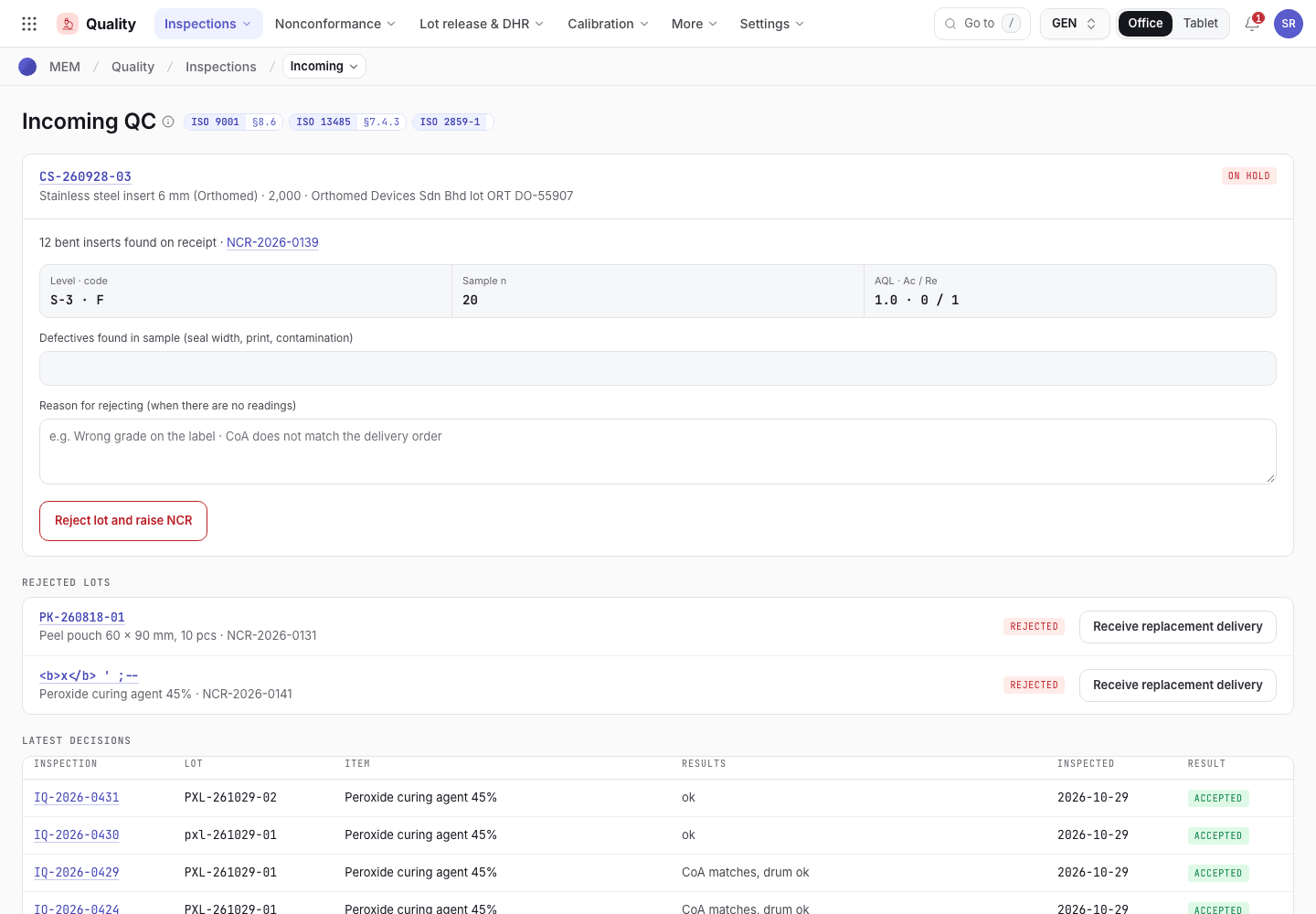
- Awaiting inspection: lot, item and quantity.
- Readings and results for the lot.
- Latest decisions and rejected lots.
An inspection on the desktop
One inspection with its lot, plan and decision buttons.
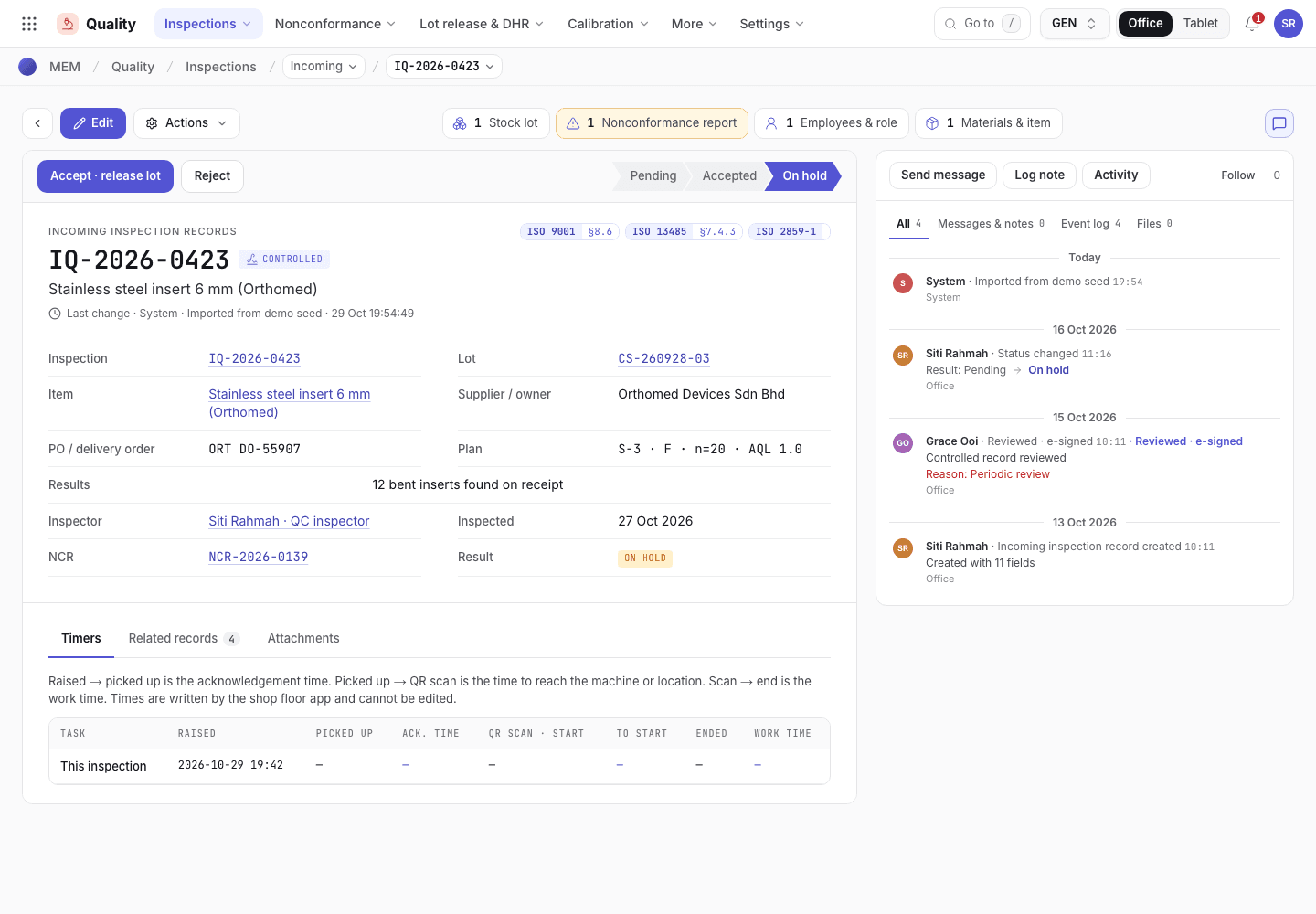
- Accept or reject the lot.
- Lot, item, supplier and plan.
- Results recorded so far.
An inspection on the phone
The same inspection at the receiving bay on a 375 px screen.
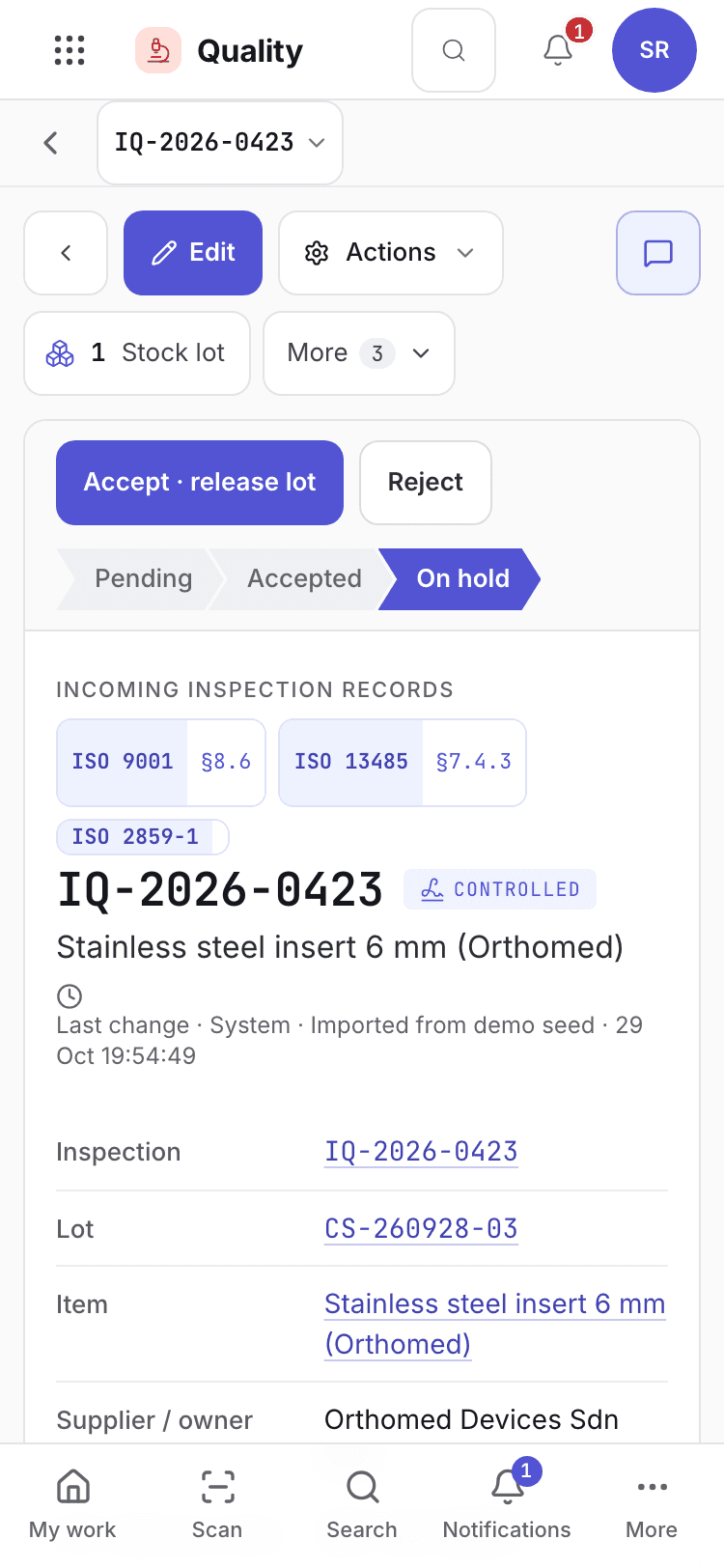
- Inspection number and result.
- Lot, item and plan.
- Decision buttons.
What happens after the decision
- Accepted: the lot becomes Released. If another delivery was merged into the same lot and its inspection is still open, the lot stays in quarantine and the message names the inspection it waits on.
- Rejected: the lot is rejected, never booked into stock, and an NCR is raised for return to the
supplier. Choose Receive replacement delivery when the supplier sends a new lot. It opens as
{lot}-Rand waits for inspection. - Repeated rejections tighten the supplier's inspection level. See Approve and manage suppliers.
Nonconforming stock
Open Inventory > Nonconforming for stock that must be held, reworked, scrapped or sent back. A disposition has these steps: Draft, Submitted, Approved, Completed, or Rejected.
| Status | Button | Who |
|---|---|---|
| Draft | Submit for QA | Store. Enter the lot, the nonconformity and the justification. |
| Submitted | Approve disposition, Reject | QA, a person other than the requester. |
| Approved | Complete disposition | Store. Enter the rework record or return or debit note. |
| Rejected | Reset to draft | Store. |
The lot must be on hold before a disposition is raised.
If the system refuses
The messages for incoming inspection and nonconforming stock are in Receiving refusals. Examples:
Enter the measured hardness and cure time on {no} before accepting{item} has no incoming hardness and cure time limits. Set them on the item (Inventory › Materials & items) before accepting a lot.Results are outside specification. Reject the lot and raise an NCR instead.Results are within specification. Accept the lot instead.