Raise a purchase requisition
Ask Purchasing to buy something, send it for approval, and turn the approved requisition into a purchase order.
A purchase requisition is the request to buy. Purchasing turns it into a purchase order once the approvers have signed. Open Purchasing > Purchase requisitions.
View as text
%% title: Purchase requisition status flow
flowchart LR
  A[Draft] -->|Submit| B[Submitted]
  B -->|Approve · e-sign| C[Approved]
  B -->|Reject| D[Rejected]
  D -->|Reset to draft| A
  C -->|Create purchase order| E[Converted]
Raise a requisition
Choose Add, then fill in New purchase requisition. Set Purchase type (Production or Project), Category and Needed by. Requested by fills itself with your name. Add the lines with quantity and unit. Unit prices are estimates. The buyer confirms them on the purchase order.
For stock bought for a customer order, set For sales order. For a project requisition, enter Project, Site and the budget. The budget is the untaxed total of the lines.
Choose Save. The requisition is in Draft. Only a draft can be edited.
Choose Submit. The requisition moves to Submitted and goes to its approvers. See How purchase approvals work.
Requisitions and purchase orders
The purchasing list shows requisitions and purchase orders together, with the next step for each.
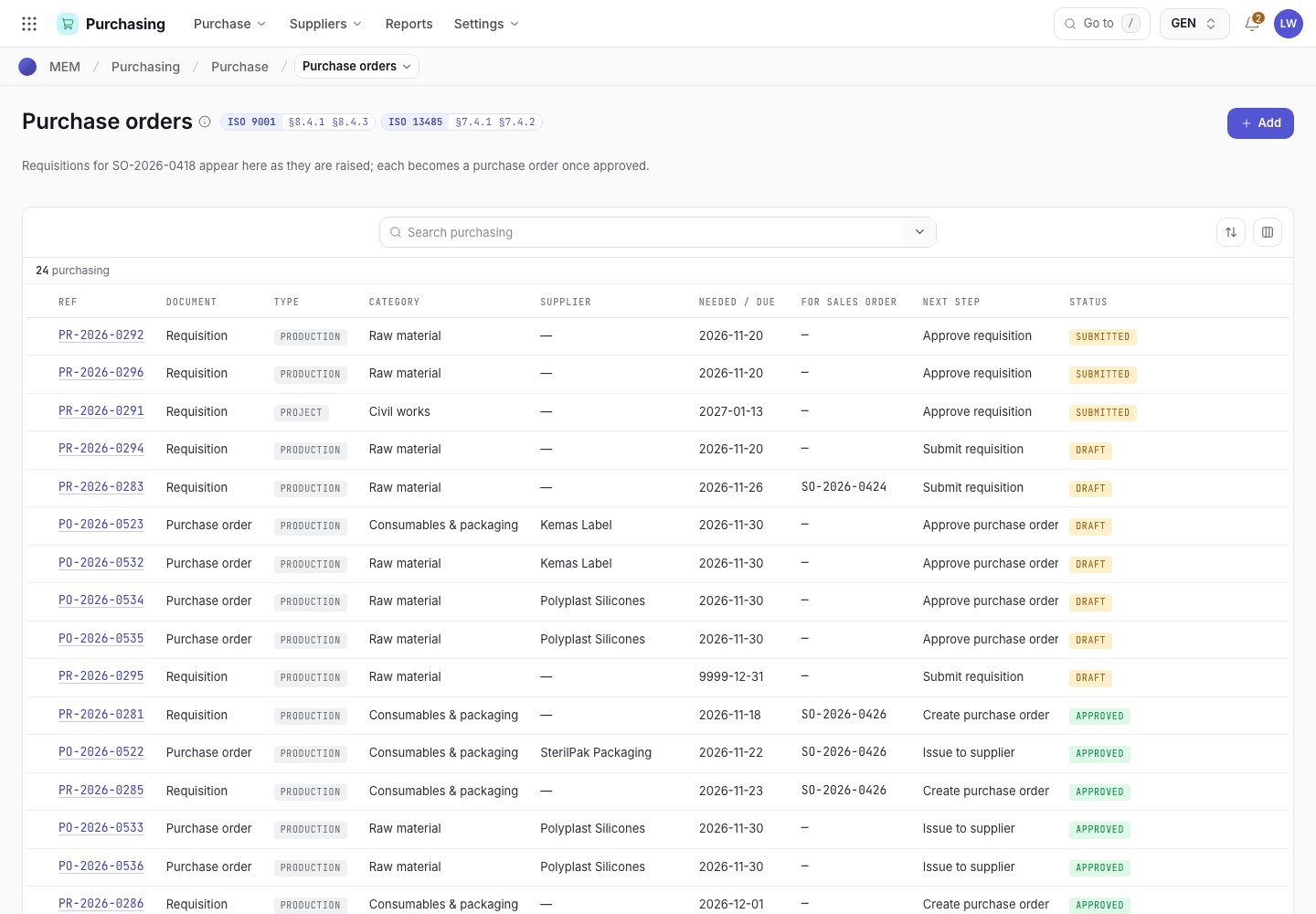
- Add starts a new purchase requisition.
- Number and document: Requisition or Purchase order.
- Next step, for example Approve requisition.
- Status chip: Draft, Submitted, Approved, Rejected or Converted.
Approve or reject a requisition
You see Approve · e-sign and Reject only on a Submitted requisition, and only when you hold one of its open approval levels. You cannot approve your own requisition. The confirmation names the requisition and its quantity and unit, so you sign knowing how much is asked. The Purchasing list can show a Qty column: turn it on under Columns.
Open the requisition, for example PR-2026-0281. Check the lines and the approval strip.
Choose Approve · e-sign and sign. When your level is the last one, the requisition becomes Approved. Otherwise it stays Submitted and the next level is waiting.
To refuse, choose Reject and type the reason (at least 4 characters). The requisition becomes Rejected. The requester chooses Reset to draft, corrects it and submits again.
Turn an approved requisition into a purchase order
Open an Approved requisition, for example PR-2026-0285.
Choose Create purchase order and sign. A draft purchase order opens. It starts with the item, quantity and supplier from the item record. A project requisition becomes a contract order: choose the contractor on it.
The requisition shows Converted. Continue in Issue a purchase order.
A draft requisition on the phone
The same record on a 375 px screen. Buttons stay within reach of the thumb.
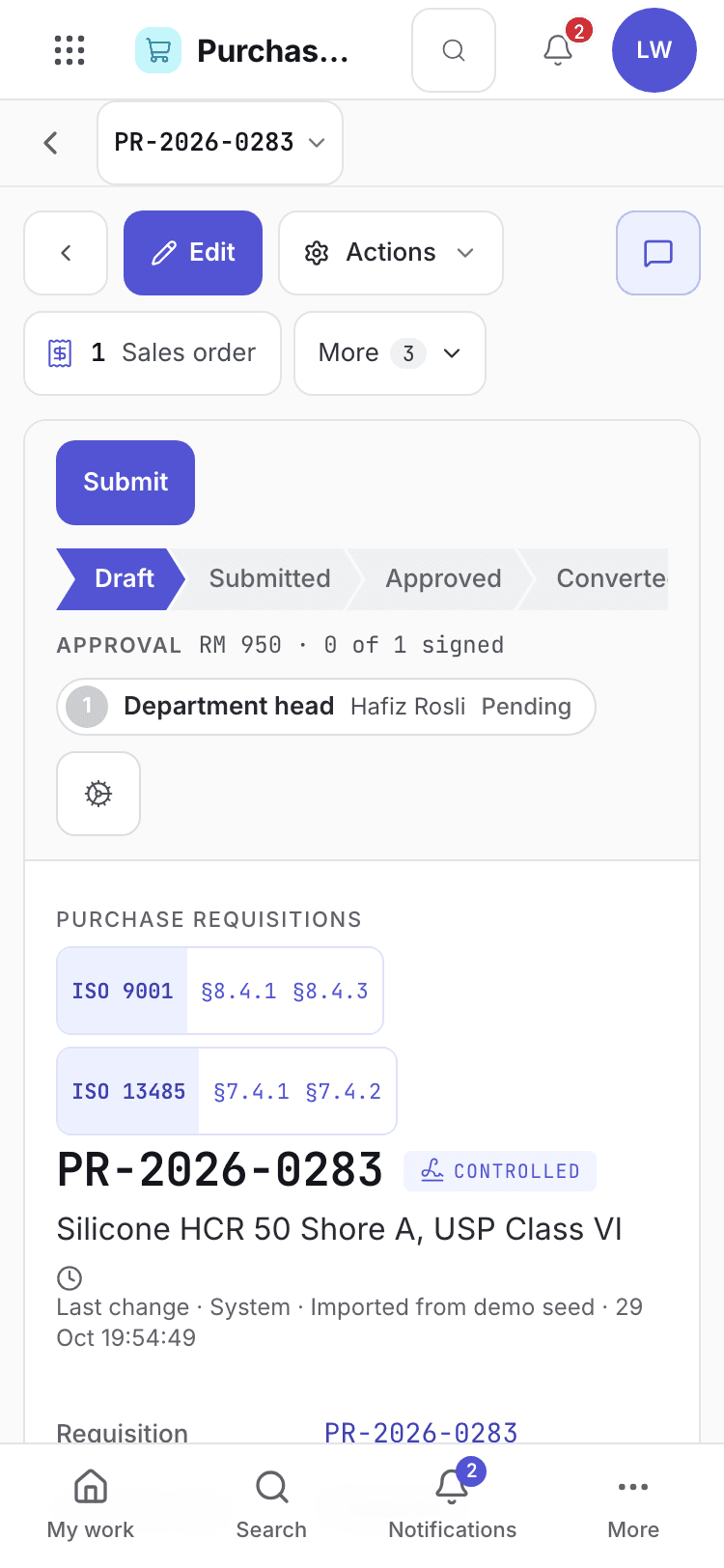
- Requisition number and status.
- Lines and quantities.
- Submit sends the requisition for approval.
A draft requisition on the desktop
Edit the requisition while it is in Draft. Approval levels appear once it is submitted.
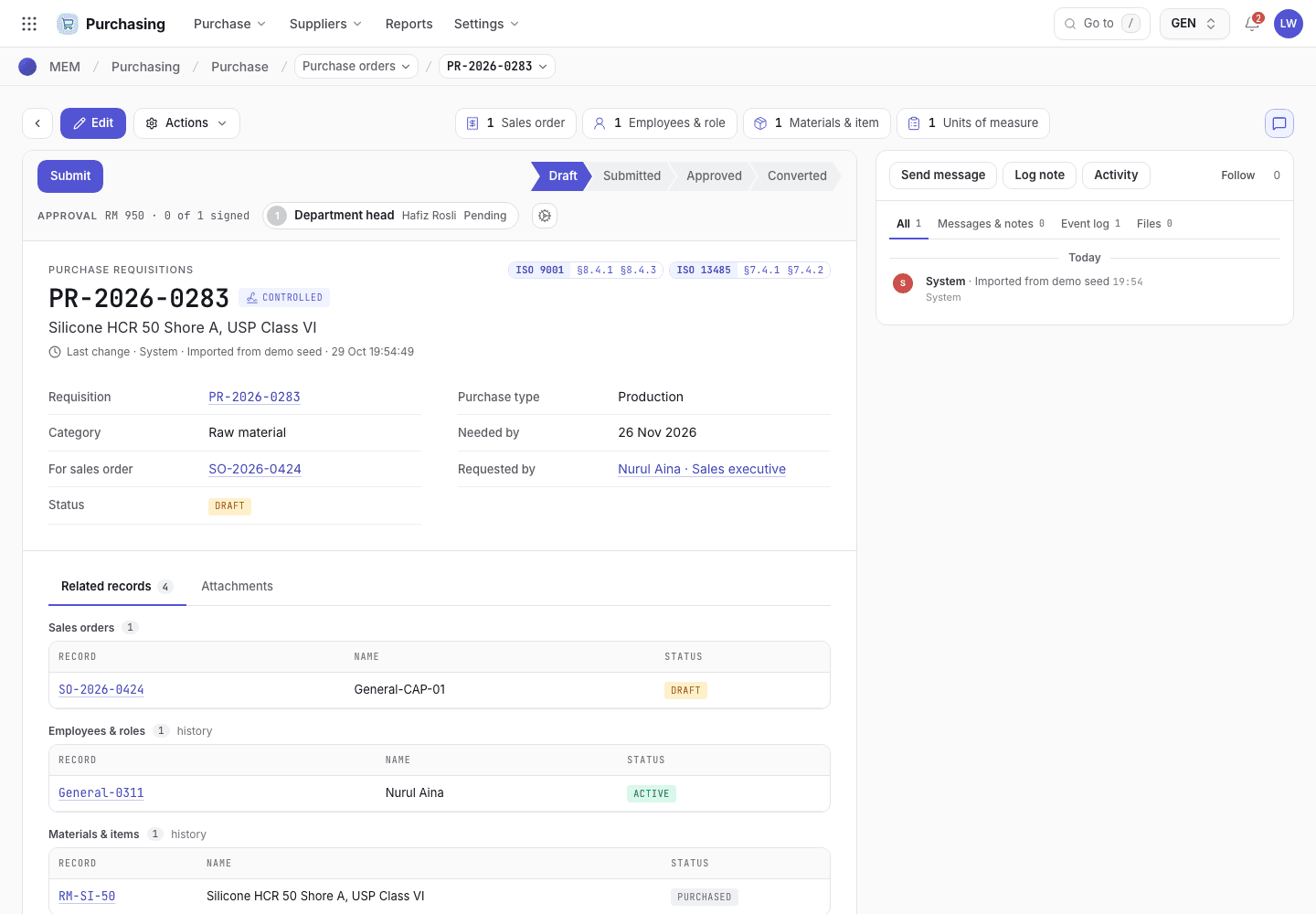
- Submit sends the requisition for approval.
- Purchase type, category, needed-by date and requester.
- Lines with quantity, unit and estimated price.
If the system refuses
Common refusals on a requisition:
Only draft requisitions can be edited: submit has locked it. Ask the approver to Reject it, then Reset to draft.The approver must be someone other than the requester: ask another approver to sign.Consignment items are not purchased: the item belongs to the customer. Do not create an order.
Every message, with the fix, is in Purchasing refusals.
Next steps
How purchase approvals workWho signs which level, and what happens over a limit.Approve and manage suppliers
Keep the approved supplier list current, record supplier documents, answer supplier problems with a SCAR, and score suppliers each year.
How purchase approvals work
Which approval levels apply to a requisition or purchase order, who signs them, and what happens over a limit.