Take a repeat order
Order a product you already supply, with the customer's agreed prices, and see what changes if Engineering has raised the revision.
There is no Repeat button. A repeat order is a new quotation or sales order for a product that is already Released. Because the product, its production method and its customer prices already exist, the work is short. Sales (Nurul Aina) takes the order, the Planner (Priya Menon) plans it, and Engineering (Daniel Tan) is involved only if the product revision changed.
View as text
%% title: Repeat order path
flowchart LR
  A[Customer reorders] --> B{Revision changed since last order?}
  B -->|No| C[New quotation or order]
  B -->|Yes| D[Check New rev pending note]
  D --> C
  C --> E[Contract review, signed]
  E --> F[Confirm order]
  F --> G[Plan production on the primary method]
Start from the customer or the product
Open Sales > Customers and find the customer. The record holds the contact, email, Quality requirements and First article required (Per standard rules, Every new order or Every setup).
Open Sales > Products and the product, for example General-SDS-01. Check the status line at the
top: Sellable means you can quote. The History tab lists every earlier quotation and order of this
product.
Choose New quotation on the product page, or Add in Sales > Orders. You can skip the quotation when the customer sends a purchase order: choose the channel in Order received by (Customer PO, Email, Portal, Phone, Verbal) and enter the Customer PO no..
The customers list
Customers with their contacts, quality requirements and first-article rule.
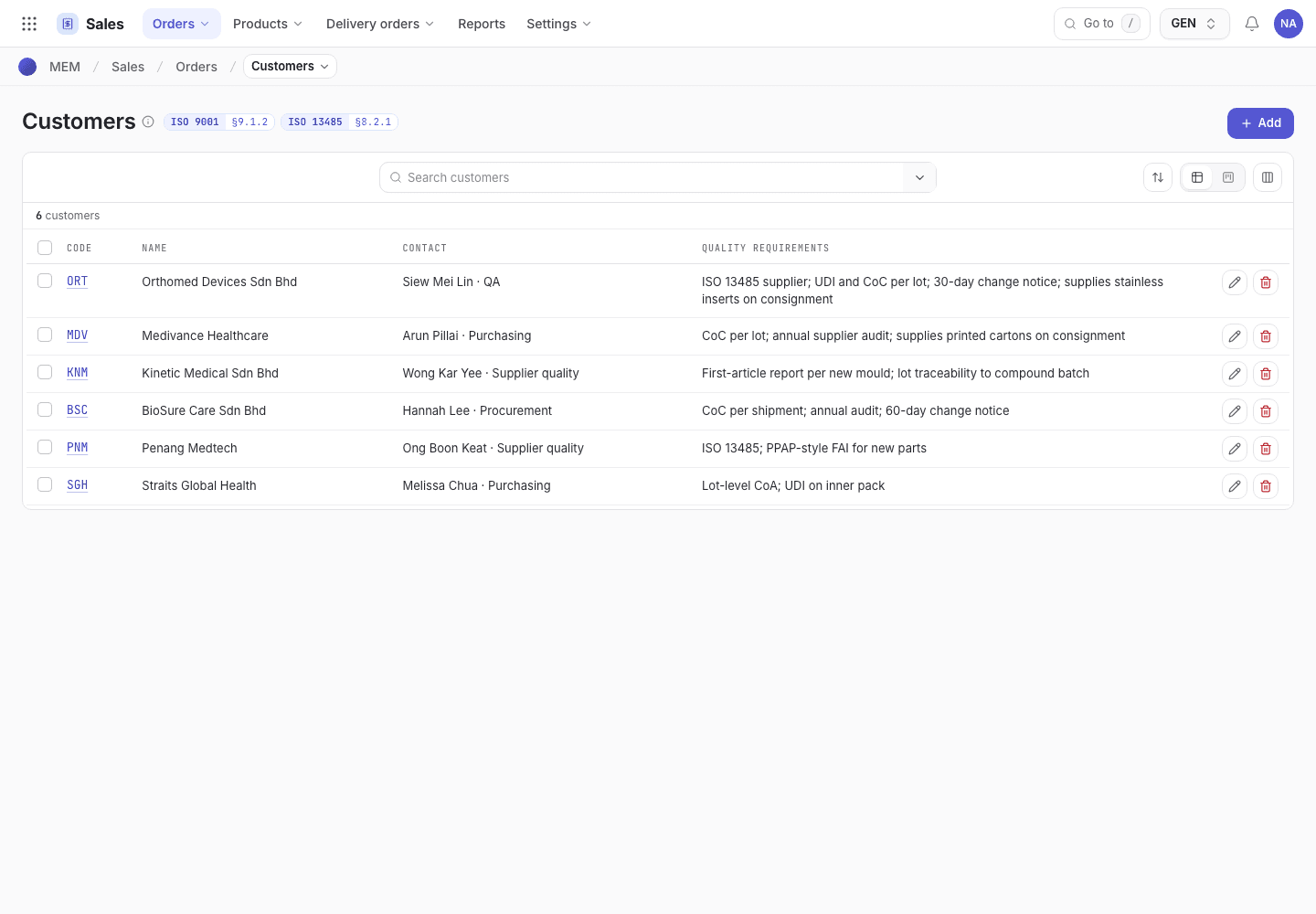
- Search for the customer.
- Quality requirements the customer has agreed.
- First article required: Per standard rules, Every new order or Every setup.
A repeat order for the same customer
SO-2026-0426 shows the lines, the prices taken from the customer's price list and the contract review.
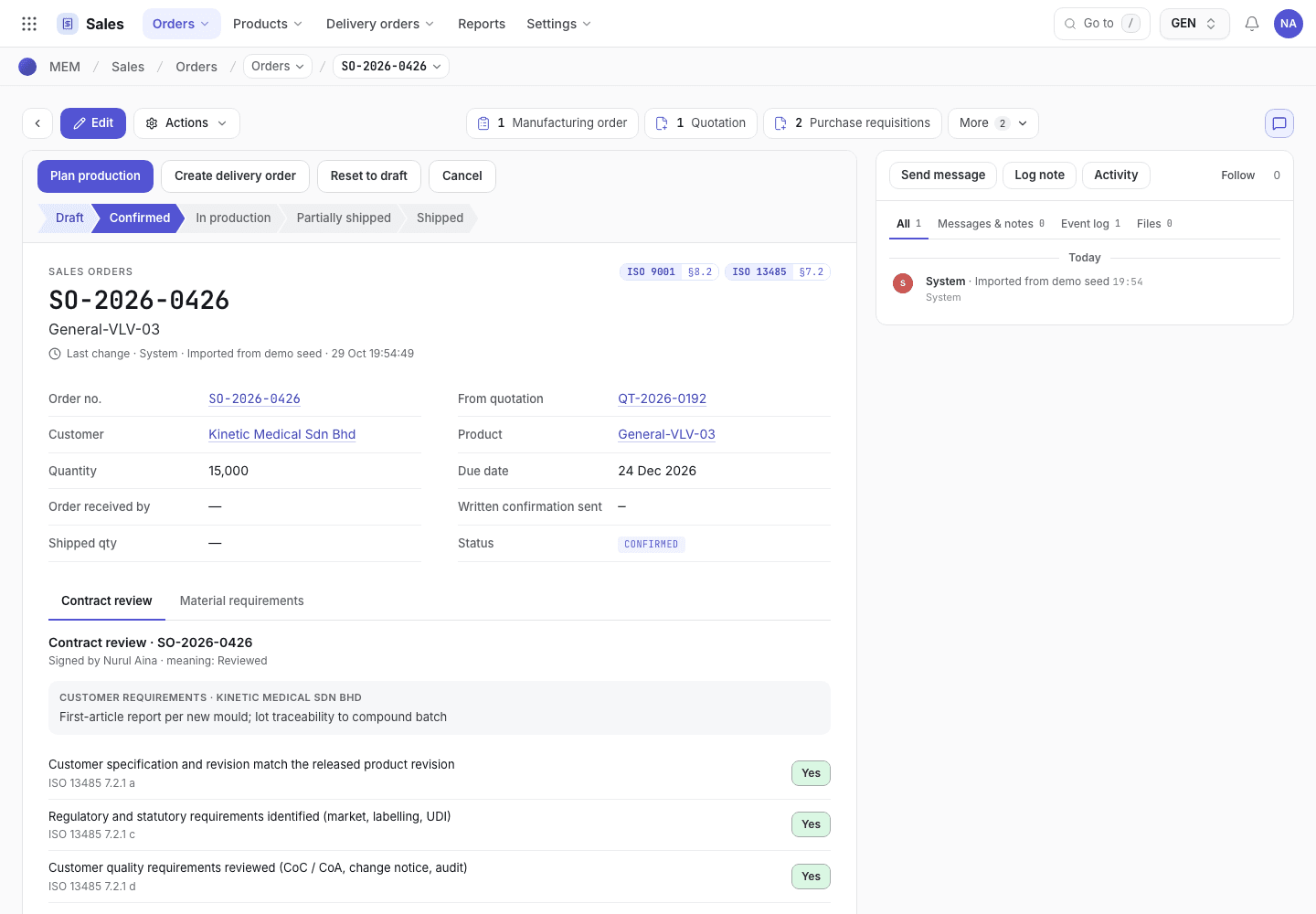
- Status chip and step buttons.
- Order lines with the unit prices that were filled in.
- Contract review, answered again for this order.
Prices are reused
When you pick the product on a line, the app fills the unit price in this order:
- The Customer prices of that customer for the product, if one exists and its Valid until date is not past.
- The Price breaks of the product, using the highest break the quantity reaches (From quantity).
- The List price.
The product's Pricing tab shows the list price, the breaks and, under Customer prices, any price that
has expired (Expired {date}). Update an expired price before you quote.
The contract review is done again
Every order has its own contract review. Answers are not copied from the last order. For a repeat order the questions are quick to answer because the facts are known:
- Customer specification and revision match the released product revision: compare the customer's PO with the current revision shown on the product.
- Validated process and tooling available for this product: the product's validation is already Validated. Check that nothing was invalidated since.
- Capacity and delivery date confirmed with Planning and Material availability checked: use Material requirements on the order.
Plan production on the primary method
On the confirmed order, choose Plan production. The app uses the product's approved production method, and its first machine option, to open the production plan. It plans one line at a time, and tells you if more lines follow. If it refuses, Engineering has to fix the product first. See Quote and order refusals.
If an engineering change raised the revision
- The product page shows New rev pending (when the new revision is not yet released, the old released
revision stays sellable) or Change open with the change note number (
ECN-2026-014). - A product with no released revision shows Not released and cannot be quoted:
{pn} cannot be quoted: not released. .... - An Unpublished product also cannot be quoted. Set Website & catalogue on the product to Published again.
- Answer the first contract review question against the new revision, not the one on the last order.