Returns (RMA)
Authorise a customer return, receive it into quarantine, inspect it, and close it with a disposition.
A return merchandise authorisation (RMA) follows goods a customer sends back. Four people take part. Sales (Nurul Aina) raises it. The QA engineer (Jason Wong) authorises or refuses it and closes it. The Store (Farah Hanim) receives the goods. The QC inspector (Siti Rahmah) inspects them.
When the Org admin enables Quality returns in Settings > Roles & permissions, QA and QC staff can also open Quality > Returns and raise or edit returns according to their Quality access level. The Sales entry point remains available. Both pages share the same records, signatures and history; each workflow step still requires its existing signing authority.
View as text
%% title: Return (RMA) status flow
flowchart LR
  A[Requested] -->|Authorise return · QA engineer| B[Authorised]
  A -->|Refuse · QA engineer| X[Refused]
  B -->|Receive into quarantine · Store| C[Received]
  C -->|Record inspection · QC inspector| D[Inspected]
  D -->|Close · disposition done · QA engineer| E[Closed]
Raise a return
Open Sales > Returns and choose New. Fill in:
- Customer, Product, Lot and Quantity returned.
- Delivery order, the delivery that shipped it, if known.
- Reason for return.
- Complaint, if the return belongs to a customer complaint. A closed return feeds that complaint.
The returns list
Every RMA with customer, product, lot, quantity and status.
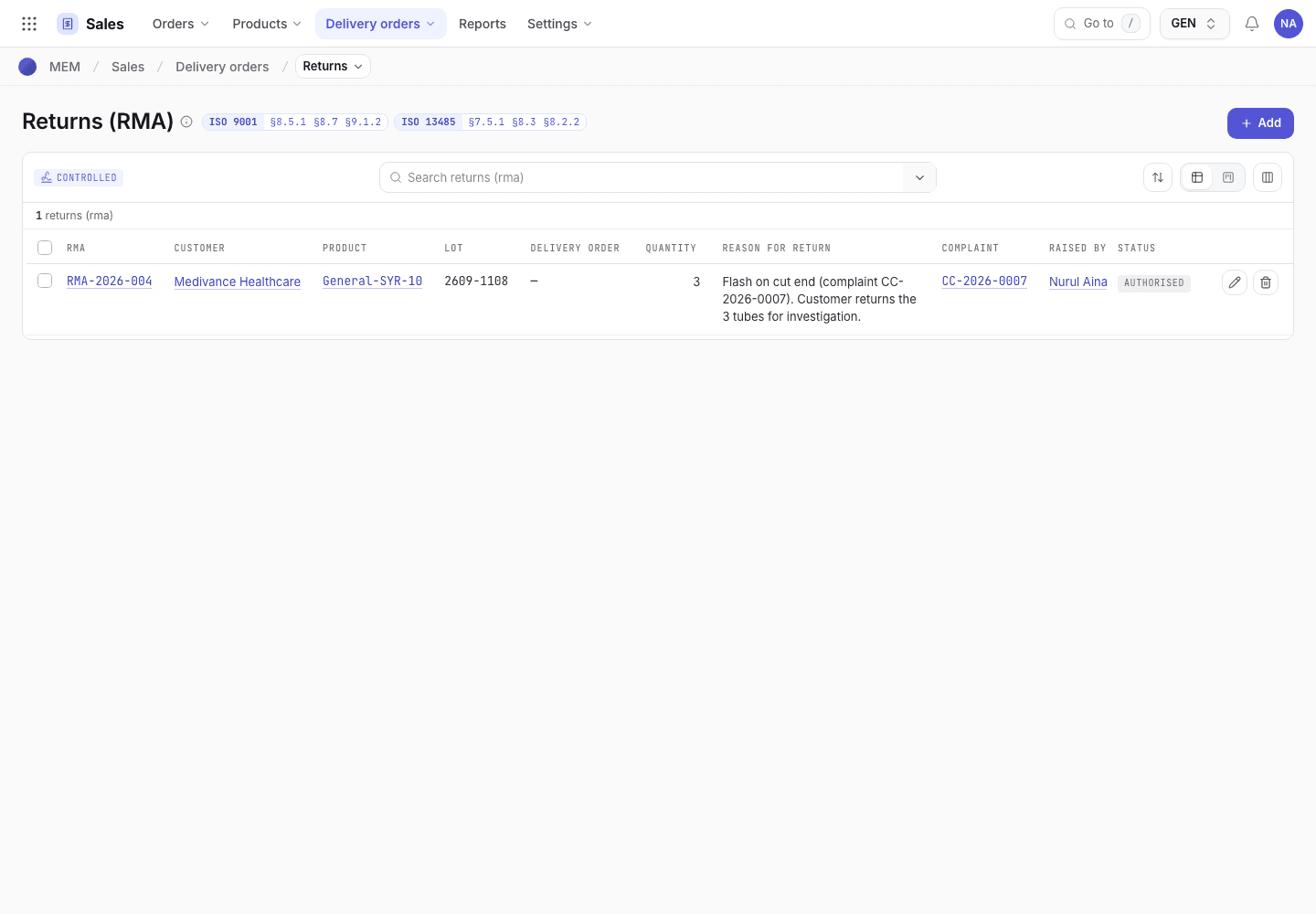
- New starts a return.
- Lot and quantity being returned.
- Status chip: Requested, Authorised, Received, Inspected, Closed or Refused.
Authorise or refuse
The QA engineer opens the return and chooses Authorise return or Refuse, and signs. Authorising lets the customer send the goods. Refusing ends the return with status Refused. Both leave an entry in the history with the lot, quantity and reason.
Receive into quarantine
When the goods arrive, the Store opens the Authorised return and selects the Quarantine location.
Choose Receive into quarantine and sign. The return becomes Received, the Received on date is set and the goods are on hold.
Inspect
The QC inspector opens the Received return, writes the Inspection result and chooses the Disposition: Scrap, Rework and return, Replace, Credit only · scrap, or Return as is (no fault found).
If a fault was found (any disposition except Return as is (no fault found)), link the NCR (nonconformance report) first.
Choose Record inspection and sign. The return becomes Inspected.
Close
The QA engineer chooses Close · disposition done and signs. The history records the disposition, and the complaint it feeds if one is linked.
If the system refuses
Every message is in Returns refusals.
| Message | What to do |
|---|---|
Select the quarantine location | Choose the Quarantine location, then Receive into quarantine. |
Record the inspection result and the disposition | Fill both fields, then Record inspection. |
A fault was found: link the NCR | Link the NCR, or choose Return as is (no fault found). |