Set the inspection plan
Define the characteristics QC measures, who checks them and how often, and the sampling plans and reason codes behind them.
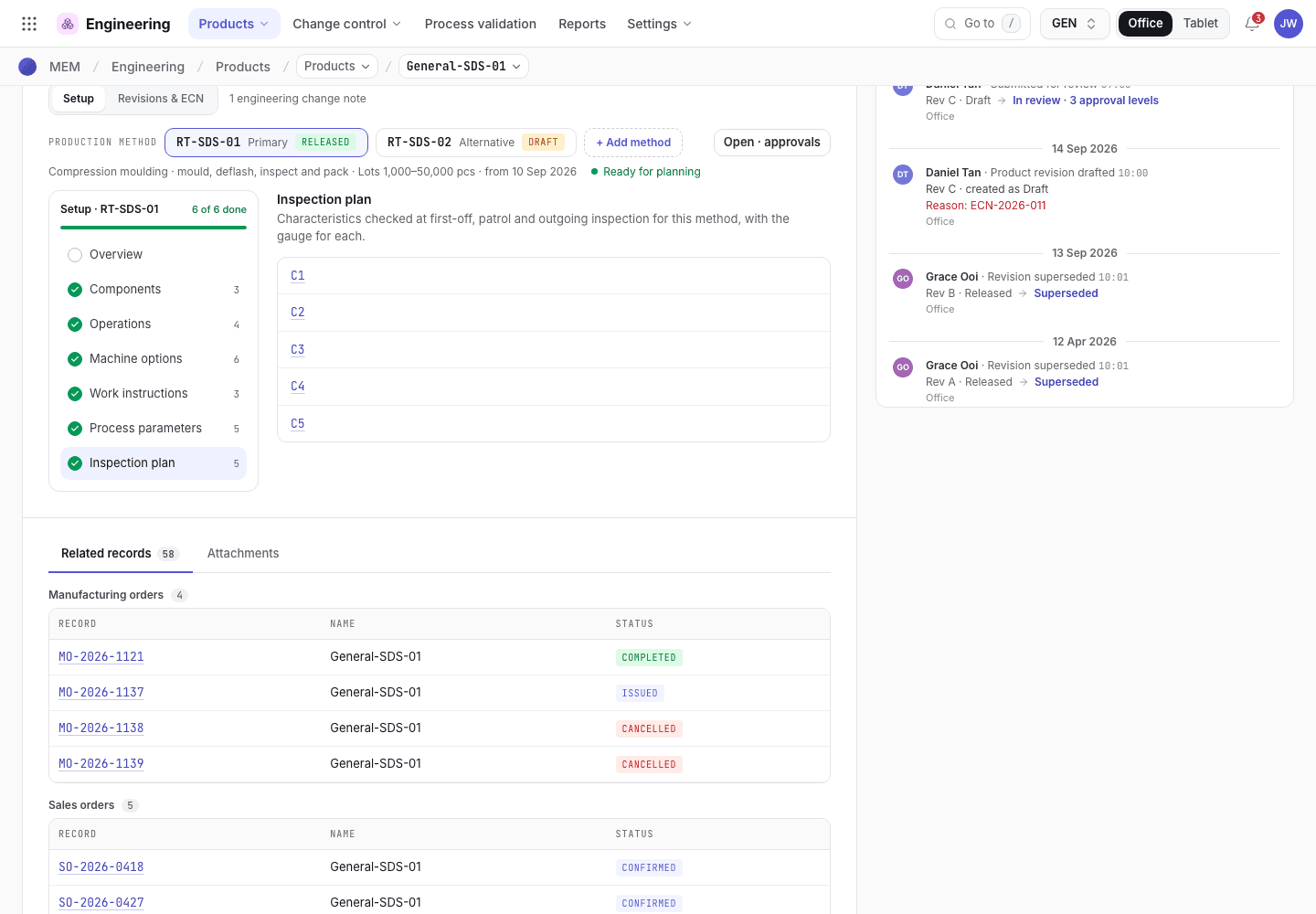
The inspection plan lists the characteristics QC measures on a product: a nominal value, a tolerance and the gauge. The plan decides what the QC inspector (Siti Rahmah) measures at first piece, during the run and at outgoing inspection, and it sets the pass and fail limits on the tablet. The QA engineer (Jason Wong) owns the plan. The engineer (Daniel Tan) can also open it from the method.
View as text
%% title: From a characteristic to a check
flowchart TD
  A["Characteristic: nominal, tolerance, gauge"] --> B{"First piece check?"}
  A --> C{"In-process check (IPQC)?"}
  B -->|"Yes"| D["Measured at first piece after setup"]
  C -->|"Yes"| E["Measured during the run at the IPQC frequency"]
  A --> F["Measured at first article and outgoing inspection"]
Add a characteristic
Open the product (for example General-SDS-01) and choose Setup. Open an operation and choose its
Inspection tab, or choose Inspection plan in the left rail.
Choose + Add characteristic. The Char number is assigned on save. Enter the Characteristic name, the Nominal and the ± Tol. The tolerance must be greater than zero.
Choose the Unit and the Gauge. A gauge is required. It is the planned gauge of the characteristic: first article, first piece and patrol checks must measure it with that gauge, and the setup gauge scan accepts only gauges the plan names. A gauge that is out of calibration blocks the inspection.
Set CTQ (critical to quality), First piece check and In-process check (IPQC) to Yes or
No. In Checked at op, choose the operation from the list of the production method's operations
(the product's primary method when no method is chosen), for example 10 · Moulding. If the check belongs to one machine option, choose
the Machine option.
Save. Each characteristic can carry a Balloon number that links it to a point on the customer drawing.
The Inspection tab
Characteristics of an operation, each tied to a balloon on the customer drawing.
- The Inspection tab of the operation drawer.
- Each characteristic with its nominal, tolerance and gauge.
- The customer drawing with numbered balloons.
Balloon the drawing
On the operation's set-up view, the Ballooned customer drawing panel shows the drawing. Choose Upload drawing (JPG or PNG) if there is none. Select a characteristic on the right, then click its position on the drawing to place its balloon. Balloons are fixed while the method is released.
First piece and IPQC settings
Each operation has a first-piece sample and an in-process frequency.
- Sample under First piece / buy-off inspection: how many pieces QC measures from the first shots.
- Frequency under In-process checks (IPQC): pick a preset such as
IPF-1H3(Every hour · 3 pcs) orIPF-2H5(Every 2 h · 5 pcs), or choose Custom… and set Every, Per (Hours, Minutes, Pieces or Shots) and the Sample. Edit list changes the preset list. - A machine option can carry its own first-piece sample and IPQC frequency. Under Machine combinations it shows Dedicated, or Shared with the operation.
QC gates on an operation
On the QC gates tab, or the QC gate field of the operation, choose when QC steps in:
- None: no QC gate.
- FAI before run: a first article inspection is needed before the run.
- QC check at handover: QC checks when the operation hands over. On the traveller, parts cannot move into or out of such an operation as Not checked yet: the operator checks them and records Go or Go / No go.
AQL sampling plans, IPQC frequencies and reason codes
These lists are kept in the Quality settings (/quality/cfg). The QA engineer owns them.
- AQL sampling plans: Plan, Stage (IQC or OQC), Defect class (Critical, Major, Minor, Attribute), Inspection level (S-2, S-3, GI, GII, GIII), AQL and Applies to. Sample size and accept or reject numbers come from the lot size, the level and the AQL (ISO 2859-1).
- IPQC frequencies: Code (assigned on save), Frequency, Internal reference, Every, Per, Sample (pcs) and When to use.
- Reason codes: Code, Reason and Used for (FAI reject, Scrap or Pause). They are offered when QC rejects a first article, when an operator logs scrap, and when production is paused, so NCRs and downtime analysis stay consistent.
Which characteristics a check covers
- A first article and a patrol (in-process) check cover the whole plan.
- A first piece check covers the characteristics marked CTQ. If none is marked, it covers the whole plan.
- If the order's operation names plan rows (first piece: not No, patrol: Yes), only those rows are measured. A machine option's own rows replace the operation's rows when it has any.
QC orders (/quality/qcos) are numbered from the manufacturing order and the setup attempt, for example
QC-1127-01.
Release
The plan is part of the product. Characteristics are locked while the product or the method is in review or released. Change them in a new revision, see Change a released product.
If the system refuses a step here, see Product development: why the app refuses.