Set up a small team
Give one person more than one app role and more than one Signs as, so a company of four people can run every flow and still keep a second signature on each approval.
A small company has fewer people than roles. One person can do the quality work and the engineering work. Factory OS lets you give one login more than one App role and more than one Signs as. The login is still one person: it signs a document one time only, and it never approves what it raised.
This page is for the Org admin. Open Settings > Users & invitations.
One person, several tasks
Each person in the small team has more than one task. A yellow Custom roles chip means the person has a role that no task gives.
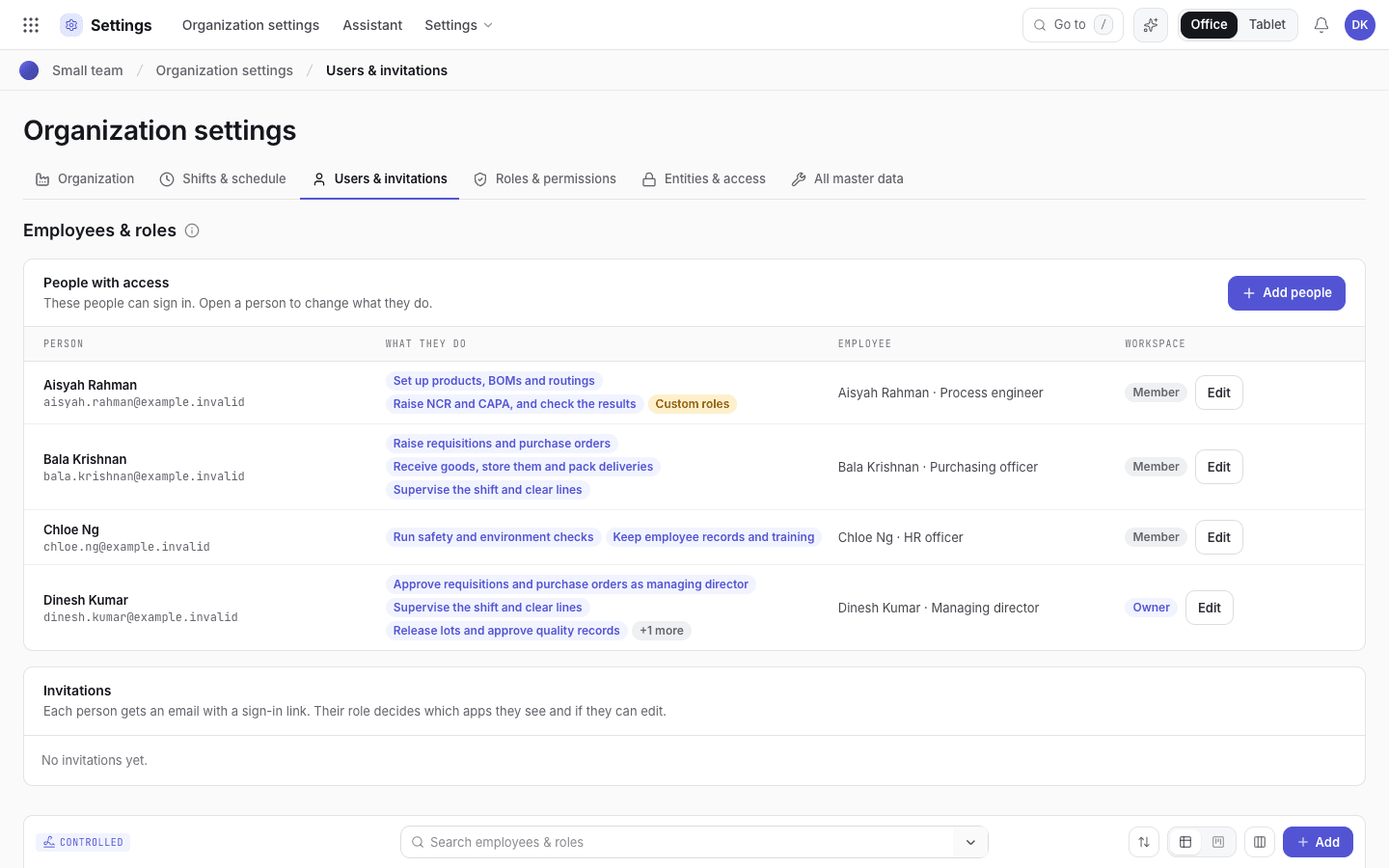
- Tasks: what each person does. The system sets the roles from them.
- Custom roles: a role or signing title that no task gives. It stays until you change it.
- Edit: open the person and change the ticks.
Give a person more than one role
In Users with access, choose Edit on the person's row.
Tick the tasks of the person, for example the store task and the inspection task. The system gives the app roles of all ticked tasks. The person sees every module that one of the roles can see. The person can change a module when one of the roles can change it. For an unusual set, open Advanced and select the roles in Also app roles.
The same ticks give the signing titles. The person can sign every step that one of the titles can sign. The signature records the title that the step needed. Advanced shows Signs as and Also signs as.
Make sure that the Employee is linked. The checks that need "someone other than" the person who raised a record compare the employee and the login, never the role.
Only the Org admin can change app roles and Signs as. You cannot change your own: another administrator does it. The Org admin role is always the main role of a login, never an extra role.
Example: a company of four people
| Person | App roles | Signs as |
|---|---|---|
| A | Engineering, QA / regulatory | Process engineer, QA engineer, QC inspector |
| B | Purchasing, Store, Planner | Purchasing officer, Store keeper, Production supervisor |
| C | HR, EHS officer | HR officer, EHS officer |
| D | Org admin | Managing director, QA manager, Production supervisor |
D gives the second signature on every approval. Give D the Org admin role, or the Managing director and QA / regulatory app roles, so that D can close quality records.
Who does what
With the default approval levels:
| Flow | First step | Second signature |
|---|---|---|
| Product release | A (Engineering review), B (Production review) | D (QA approval) |
| Work instruction | A (Author review), B (Production review) | D (QA approval) |
| Validation protocol | A | D |
| Purchase requisition and purchase order | B | D |
| Goods receipt and incoming inspection | B receives | A inspects |
| Order setup and first part | B sets up | A checks the quality |
| Stock count | B counts | D approves |
| NCR and CAPA | A | D |
| Training | C records | A or D, as the trainer or the manager |
| Internal audit | C audits | The department audited responds |
| Incidents and permits | The person who reports or asks | C closes, or D when D also has the EHS officer role |
One person signs one level only. When D signs the Production review of a product as Production supervisor, D cannot also sign the QA approval of the same product. Let B sign the Production review.
Purchase approvals for a small team
Open Settings > Numbering & approvals. Set one level, Managing director, on requisitions and on purchase orders. B raises the requisition and D approves it. B cannot approve a requisition that B raised, with any role.
A level whose role nobody else holds cannot be signed. For example, a Department head level that needs the Production supervisor stops when only the person who raised the requisition holds that role. Set the levels to the roles that a second person holds.
HR
The HR app role sees the training pages in Quality and views Settings. It adds and changes the employee records and the training records, and nothing else. The HR officer signs the training records. HR is its own department (Human resources), so the HR officer can audit the other departments. Only the Org admin links logins to employees and changes approval levels, app roles, Signs as, approval limits and delegations.