My settings
Check your profile, set your signature, choose your language and notifications, and pick the page that opens after sign-in.
Every role has My settings at /me. It belongs to you, not to the organization. It is the first place to
go on a new login.
My settings on a phone
Profile, signature, notifications, language and landing page, as the Technician sees them.
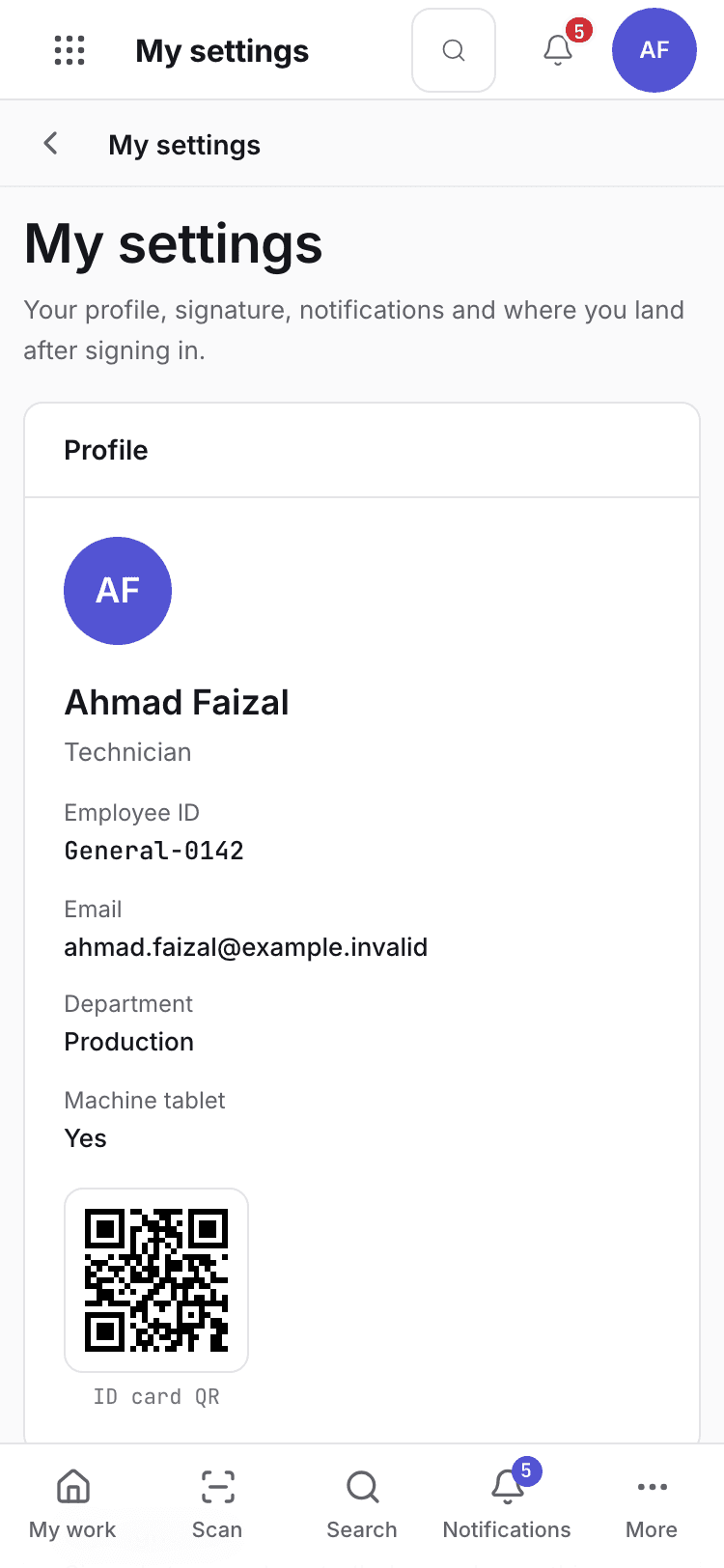
- Profile: employee ID, email, department, role, ID card QR, machine tablet.
- My signature: the specimen used by signed steps.
- Notifications, language and landing page.
Your profile
Profile shows your Employee ID, Email, Department, Role, ID card QR and, for floor roles, the Machine tablet you are assigned to. They are read only. The Org admin changes them in Users and invitations.
Set your signature
Signed steps and controlled records use your signature specimen. Until one is on file, controlled records cannot be signed.
Under My signature, choose Set up signature, or Change signature if one exists.
Choose Draw (sign with mouse, finger or stylus) or Type (your full name), then choose Save
signature. The message reads Signature saved. Signature history lists every specimen you saved.
Each change is written to the audit trail.
The full rules are in Set up your signature first.
Choose notifications
Under Notifications, switch each on or off:
| Notification | When it fires |
|---|---|
| Mentions | Someone tags you with @ in a message or note. |
| Messages on records I follow | Sent messages on records you created or follow. |
| Approval requests | A document reaches your approval level. |
Choose your language
Under Language, pick the language the screens are shown in. The choice follows you on this device and in your next sessions. Shop-floor languages for the machine tablet are set by the Org admin under Organization (Shop-floor languages).
Choose where you land
Under Opens after sign-in, choose the page you land on: Apps, My work, Sales orders,
Requisitions & orders, Goods receipts, Incoming QC, Lot release & DHR, Production
planning, Traveller, Maintenance job orders, Products or Organization settings. The
message reads Opens {label} after sign-in. The list depends on your role.
If the system refuses
Every message is in Settings refusals.
| Message | What to do |
|---|---|
No signature specimen on file for this user. Set one from the user menu (My signature). | Set up your signature here. |
Ask your administrator to give you access to the factory system. | You have no profile in this workspace. |
Your access to the factory system has expired. Ask your administrator to renew it. | The Org admin renews your access date. |
Next steps
Signatures and refusalsYour signature and the shared messages.Numbering, purchase approvals and the change board
Change the prefix of each numbered document, set the purchase approval levels, and set who signs an engineering change.
Settings refusals
Every message Settings gives when it refuses a change to the organization, shifts, people, permissions, numbering or approvals, and what to do.