Record in-process checks (IPQC)
Record a patrol check on a running order, handle a failed check, read the SPC chart and enter paper events.
A patrol check measures parts while the order runs. The default roles are QC inspector (Siti Rahmah) and Technician (Ahmad Faizal). Open Quality > In-process. The screen is called In-process QC.
View as text
%% title: A patrol check
flowchart LR
  A[Check due] --> B[Record patrol check]
  B -->|All readings in tolerance| C[IPQC passed, last good point set]
  B -->|A reading is out| D[Record the action taken]
  D --> E[IPQC failed, suspect range on hold]
  E --> F[QA decides: 100% inspect or scrap]
How often a check is due
The inspection plan sets the frequency, for example "Every 2 h" or a count of pieces or shots. If the plan says nothing, a check is due every 2 hours. On the tablet a banner counts down: "Next patrol check in {n} pcs" (or shots), or "Next patrol check due {time} · in {time}". It turns to "Patrol check due now" and then "Patrol check overdue by {time}".
When a check is overdue, the system escalates it once: QA and the supervisor are told "IPQC check overdue · escalated", and the output since the last good check counts as suspect.
Record a patrol check
On the machine tablet, QC chooses Record patrol check on the running order. The check is e-signed, so it needs the QC inspector's signing authority and current training. QC can also take it from the phone. The dialog is titled "Patrol check · {QC order}" with the product and machine.
Enter every characteristic on the plan. The column Reading shows OK or Out as you type. To measure several pieces, separate the readings with spaces. They are charted as one SPC subgroup.
Check the Gauge used. It starts as the gauge the inspection plan names for the characteristic; when the plan uses more than one gauge, each reading has its own gauge field. The system checks the calibration of every gauge used before it saves, and refuses a reading measured with a gauge other than its characteristic's planned one.
If a reading is Out, write the Action taken · hold, adjust or segregate. Add photos as evidence if needed with + Photo.
Choose Record patrol · e-sign and sign.
A pass sets the "IPQC passed · last good point". A fail writes "IPQC failed · suspect range contained": the output since the last good check goes on hold for QA to decide.
In-process QC on the desktop
First-article records and in-process checks.
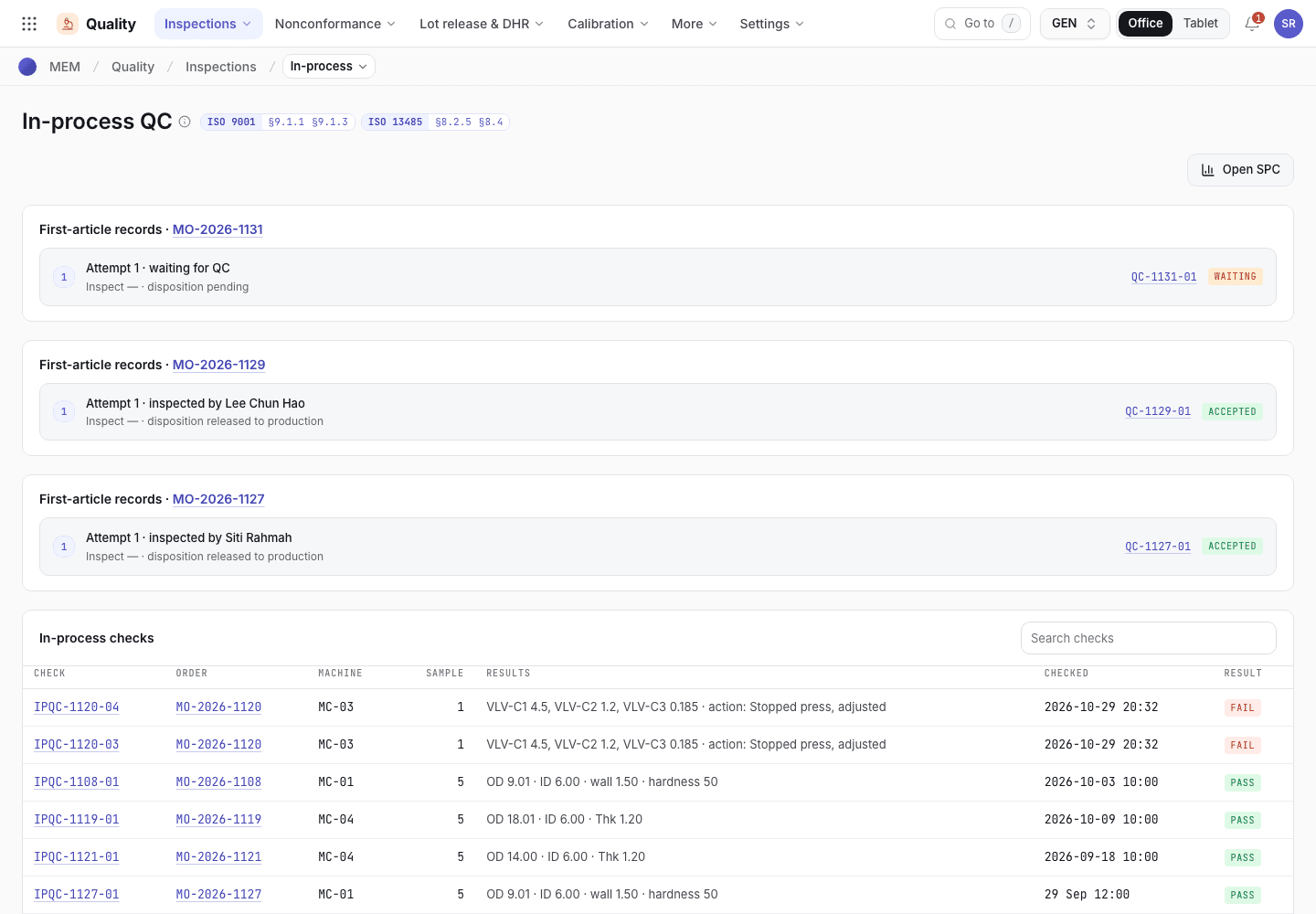
- Open SPC.
- First-article records with attempts.
- In-process checks with result and inspector.
A patrol check on the tablet
The patrol dialog on a running order.
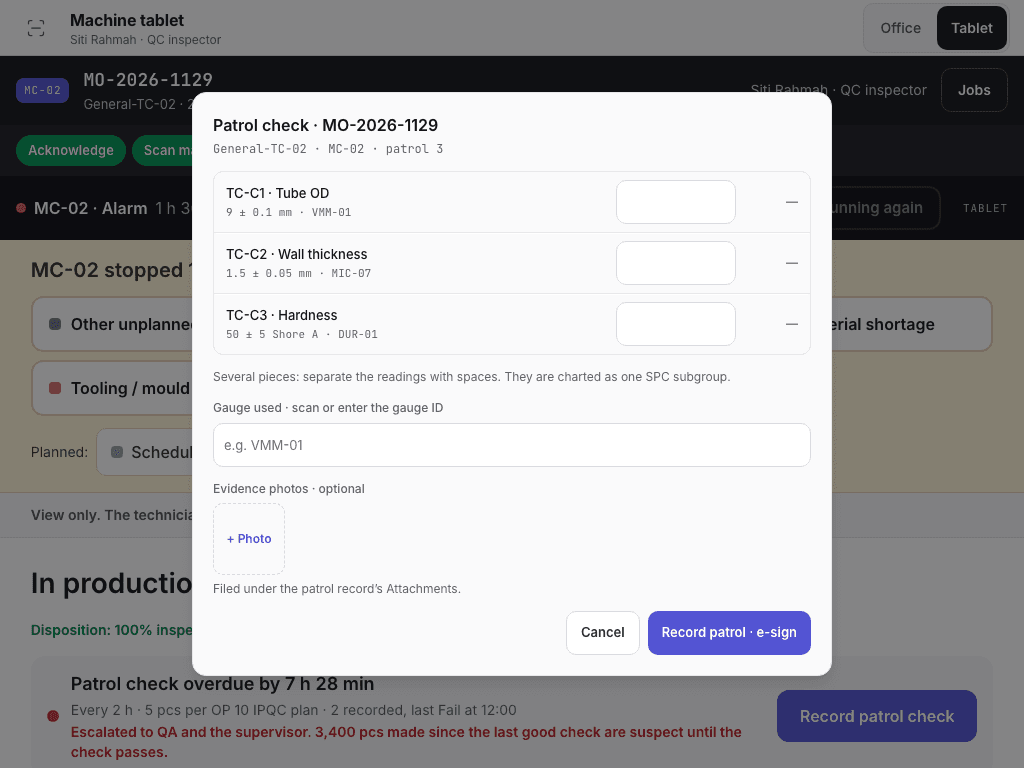
- Patrol check title with product and machine.
- Reading per characteristic, OK or Out.
- Record patrol · e-sign.
Handle a failed check
After a failed check the run shows "Output since the last good check is on hold. QA decides; suspect parts are not assumed bad or good." QA picks one:
- 100% inspect, then release. The decision is e-signed.
- Scrap suspect range. The decision is e-signed, and the suspect parts move from the good count to the scrap count, so they never go into the finished lot.
You can also Trace downstream or Raise NCR. The run cannot be completed until QA decides: "Call the QA manager to disposition the suspect range before you complete the run".
Read the SPC chart
On Quality > In-process, choose Open SPC. The Charts tab shows X̄ and R charts of the last 25 subgroups with Cp, Cpk, Pp and Ppk. A signal outside its limit reads "Out-of-control signal". Choose Open reaction plan (or Raise reaction manually). The Reactions tab lists plans for containment, cause, action and verification. QA closes them. Capability by lot shows whether each order meets its Cpk target once it has three subgroups.
Enter a paper event
When a controlled paper traveller is used (for example during an outage), a clerk enters its events later. To get the traveller and its copy ID, open the order and choose Actions > Print traveller, then Print: the copy ID is issued when you print. Then open Production > Paper transcription.
Choose Transcribe a paper entry. Fill in Copy ID on the sheet (for example
PC-MO-2026-1127-02), Event (Acknowledge, Start setup, Finish setup, Start production,
Pause, Resume, Count or Finish), When it happened, Written by, Quantity (if
any) and Note.
Choose Save for verification. The entry is Pending verification. Both the time it happened and the time it was entered are kept.
A second person, who did not write or enter the entry, chooses Verify and signs it (the confirmation shows who signs and the meaning, Verified). If the sheet does not match, choose Discrepancy (Raise discrepancy on the record). The status becomes Verified or Discrepancy.
Paper transcription
Entries waiting for verification.
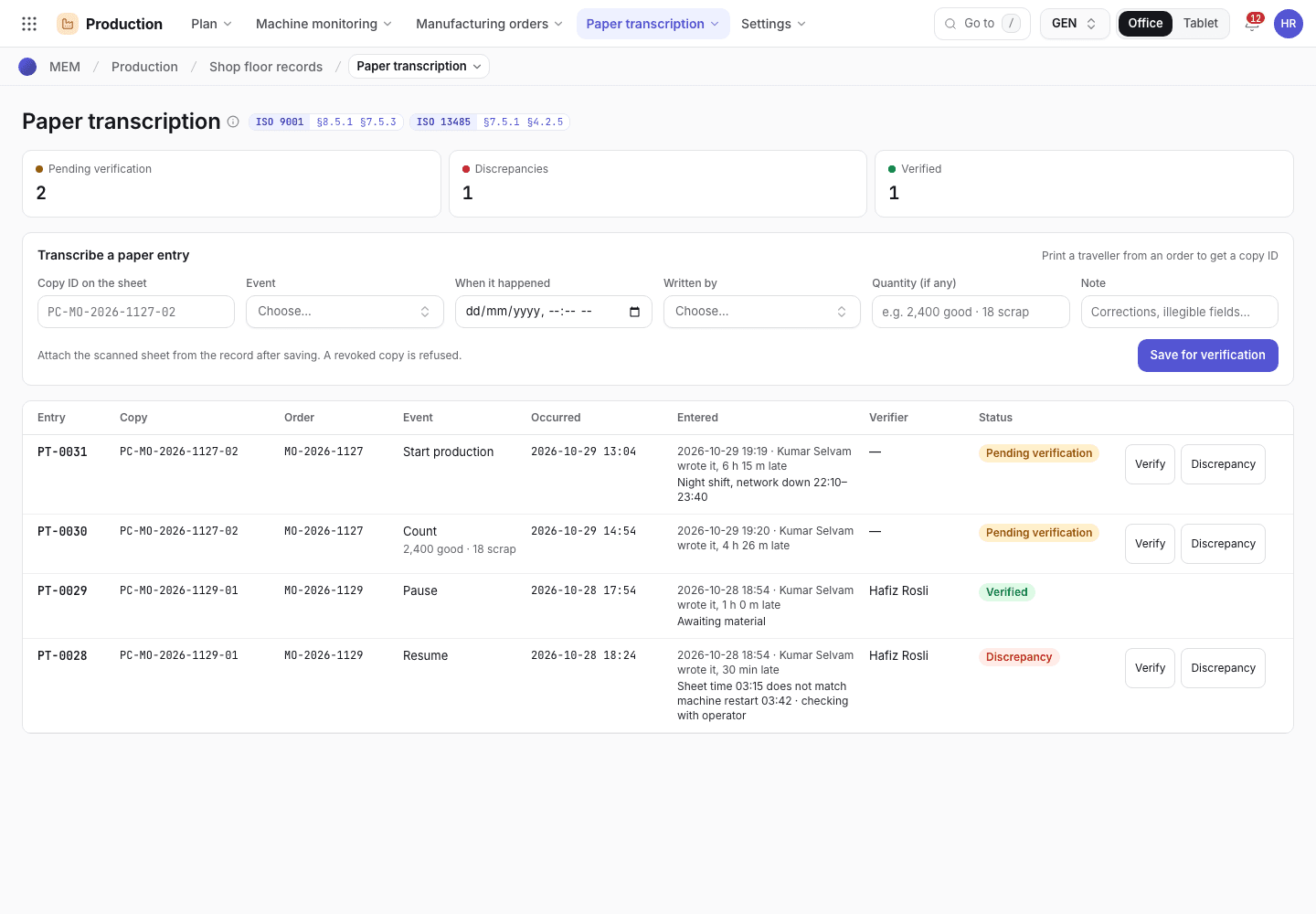
- Transcribe a paper entry.
- Entries with status.
- Verify and Discrepancy.
If the system refuses
Messages shared by every flow are in Signatures and refusals. In-process messages are in Checks and completion refusals. Examples:
Enter every characteristic for the patrol check.A reading is out of tolerance. Record the action taken before saving.Verification must be by someone other than the person who wrote or entered the entry
Next steps
Record scrap and rejectsDisposition parts that fail.Set up a wallboard TV and tablet stations
Pair a TV so it shows every machine on the floor, and pair a tablet as a station for one machine. Each screen takes a one-time code.
Record scrap and rejects
Count rejects at a station, have QC verify and split them into rework and scrap, move nonconforming stock and reconcile labels.