Record scrap and rejects
Count rejects at a station, have QC verify and split them into rework and scrap, move nonconforming stock and reconcile labels.
Parts that fail are held, verified by QC and then reworked or scrapped. The default roles are Technician (Ahmad Faizal), QC inspector (Siti Rahmah), Supervisor (Hafiz Rosli) and Store (Farah Hanim).
View as text
%% title: Rejects from the line to disposition
flowchart LR
  A[Transfer with rejects] --> B[Reject verification raised, QC called]
  B --> C[QC picks up and scans the station]
  C --> D[Verify rejects]
  D --> E[Rework plus scrap equals held quantity]
  E --> F[NCR raised or linked]
Record rejects on the traveller
Record a transfer as described in Work from your phone. Enter Counted qty, then Good and Reject. Good plus reject must equal the counted quantity.
Pick a Reject reason · QC is called to the station to verify: Short shot, Flash, Dimension out of tolerance, Visual defect or Contamination.
Confirm and sign. The page reads "{transfer} checked in · QC called for {n} rejects". The rejects are
held at the station in location RJ-01. The panel Rejects held at station shows "{n} awaiting QC". A
reject verification (for example RV-1127-02) is raised.
The rejects panel on the traveller
Rejects held at a station, waiting for QC.
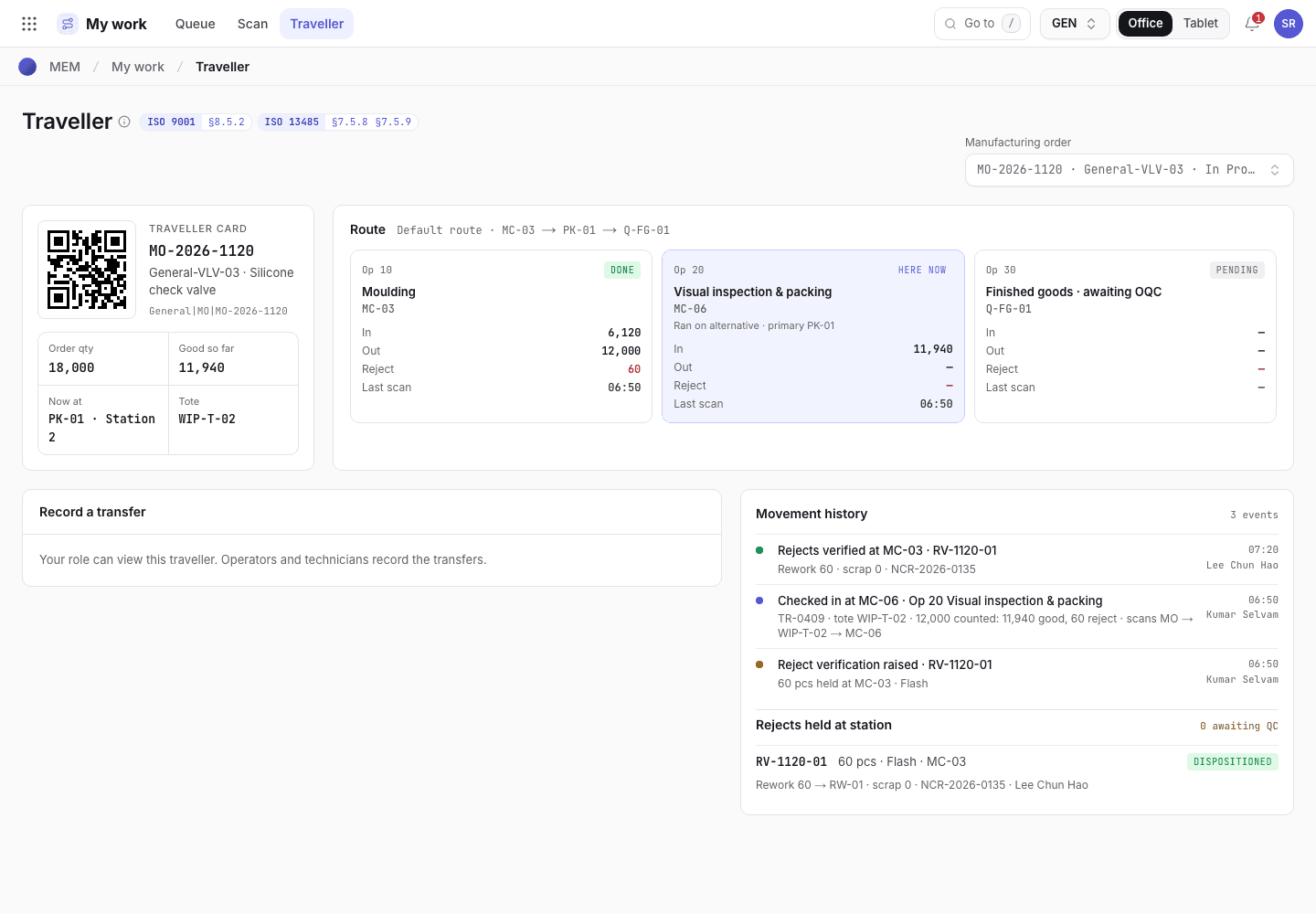
- Traveller card and route.
- Rejects held at station.
- Movement history.
Verify and disposition the rejects (QC)
Only quality control can verify held rejects.
On the traveller, under the held rejects, choose Pick up · go to station. The acknowledgement timer starts.
At the station choose "Scan {station} on arrival" and scan the station QR. A scan at any other station is refused and logged.
Choose Verify rejects. Enter Rework and Scrap so they add up to the held quantity. If Rework is more than zero, choose Rework goes to: same station or rework station.
Choose Verify · sign disposition and sign. An NCR is raised, or linked when one exists. The scrap is posted to stock. The page reads "{reject verification} dispositioned · {NCR}".
Move nonconforming stock
Held or rejected lots in stock are handled on Inventory > Nonconforming (/inventory/mrb). The status
moves Draft > Submitted > Approved > Completed, or Rejected.
The lot must already be on hold or in quarantine. Create a disposition: choose the Lot, describe the Nonconformity, choose Disposition (Return to supplier, Scrap, Rework, Use as is or Shelf-life extension) and write the Justification / evidence. Add the NCR.
Choose Submit for QA and sign.
A QA manager other than the requester chooses Approve disposition or Reject. Use as is is a concession and needs its NCR. For customer-owned stock it also needs the Customer concession ref.
Choose Complete disposition. For Return to supplier or Rework, first fill in Completion record (the return or debit note, or the rework record). The disposition is applied to the lot and its movement is posted. A finished lot that is released under a concession goes back to quarantine for a new lot release.
Nonconforming stock
Dispositions with their status.
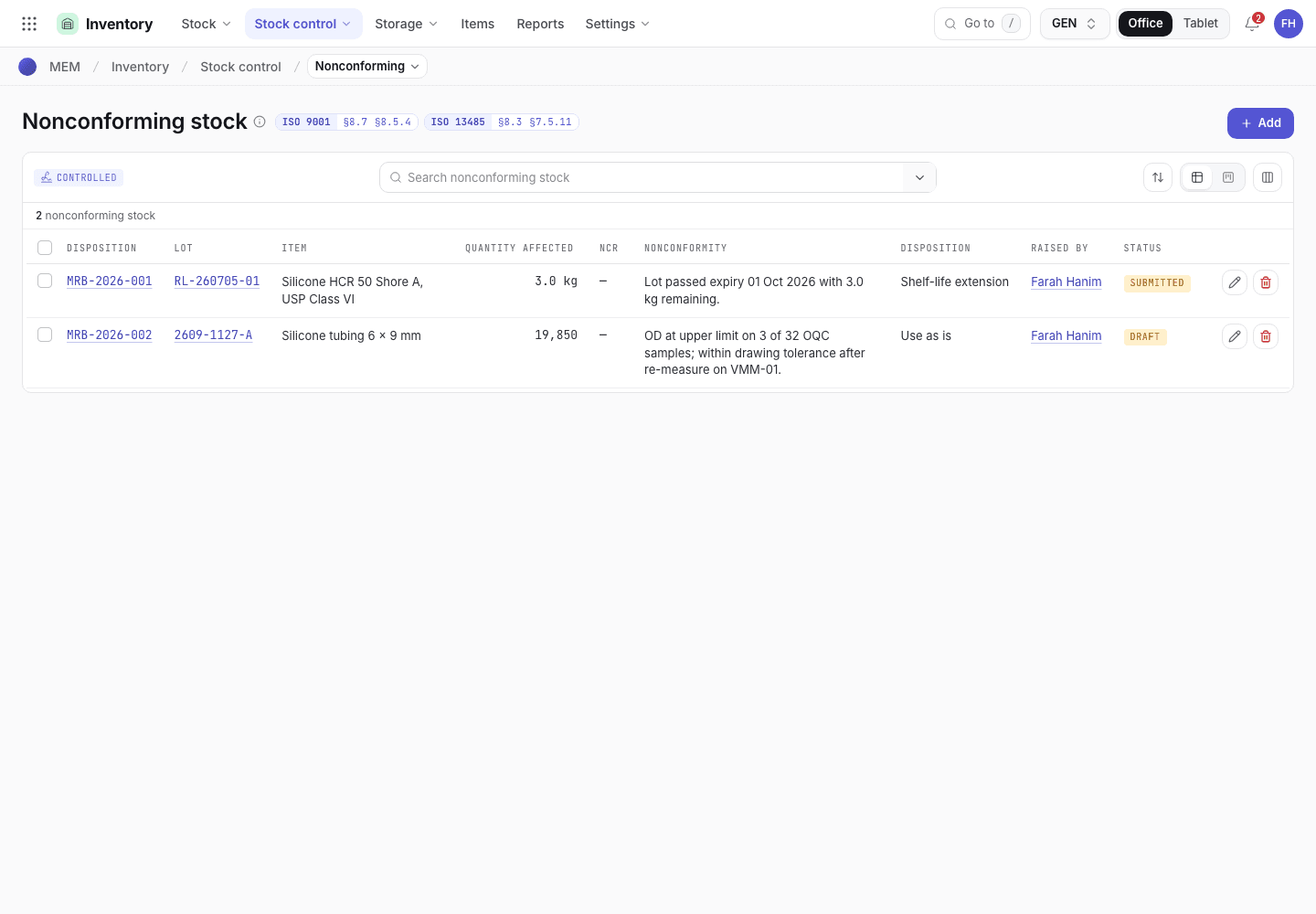
- Search.
- Lot, quantity and disposition.
- Status chip.
Reconcile labels
At the end of a run, the issued labels must be accounted for. Open Production > Label reconciliation. The formula is Issued minus Applied minus Spoiled minus Returned. Zero is a match.
Enter Issued, then Applied, Spoiled and Returned (type 0 if none). The record shows the Variance.
Choose Reconcile labels and sign. You are recorded as Reconciled by. With a variance of zero the status is Reconciled. Otherwise it becomes Discrepancy and the page reads "Variance {n} · raise an NCR". Verified by is filled only when the QA manager closes a discrepancy.
For a discrepancy, link the NCR, write the Investigation (where the labels went) and choose Close with NCR. A QA manager signs it. The status becomes Reconciled.
Label reconciliation
Label counts of each lot and their status.
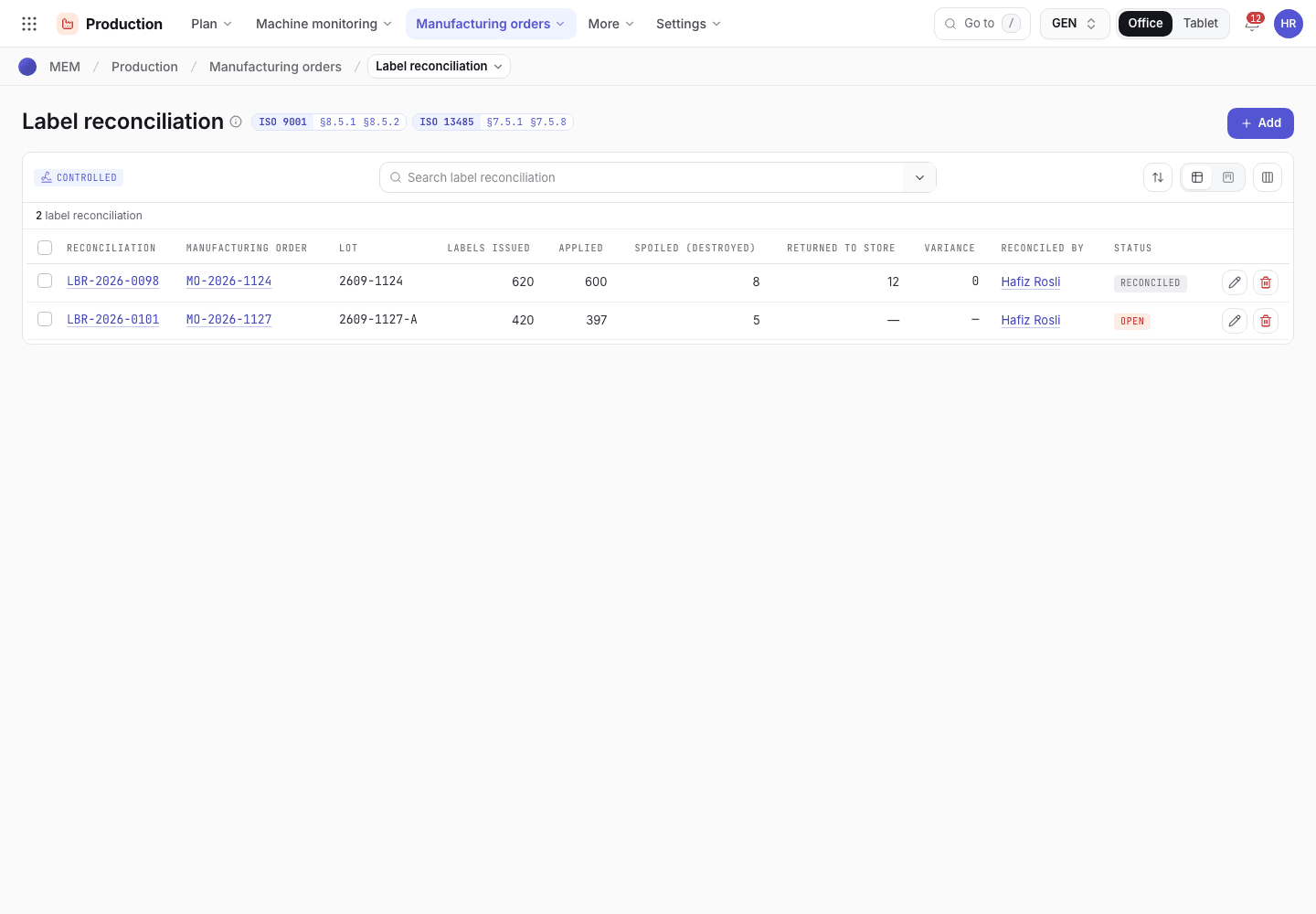
- Search.
- Label counts and variance.
- Status: Open, Reconciled or Discrepancy.
If the system refuses
Messages shared by every flow are in Signatures and refusals. Messages for this page are in Checks and completion refusals. Examples:
Only quality control can verify held rejects.Rework + scrap must equal {n} pcs.Link the NCR and record the investigation (where the labels went)The QA approver must be someone other than the requester