Clear the line
Sign that the cell is clear of the previous order and have QC verify it, so setup can start.
Before a new order is set up, the cell is checked for parts, labels, material and documents from the previous order. A supervisor or technician signs the line cleared, and QC verifies it. The verifier must be a different person. Open Production > Line clearance. The default roles are Supervisor (Hafiz Rosli) to sign and QC (Siti Rahmah) to verify.
View as text
%% title: Line clearance
flowchart LR
  A[Open] -->|Sign, line cleared| B[Cleared]
  B -->|Verify clearance, by someone else| C[Verified]
  C --> D[Setup can start]
Clear the line
Open the clearance of the order, for example LC-2026-0219, or create one for the order. The
clearance number shows Assigned on save, and picking the order fills in its machine.
Under Clearance checks, look at the cell and answer each of the five checks with Yes. They start blank, so each one is an answer you give:
- No parts or rejects from previous order
- No labels or packaging from previous order
- No material from previous order
- Only current traveller, WI and drawing in the cell
- Cell and mould area cleaned
An unconfirmed check reads Not confirmed. Fill in the previous order if it is known.
Choose Sign · line cleared and sign. The status becomes Cleared. When QC chooses Verify clearance, the dialog lists the order, machine, who cleared the line and the five answers before the signature.
A line clearance record
LC-2026-0219 with its five checks and the sign button.
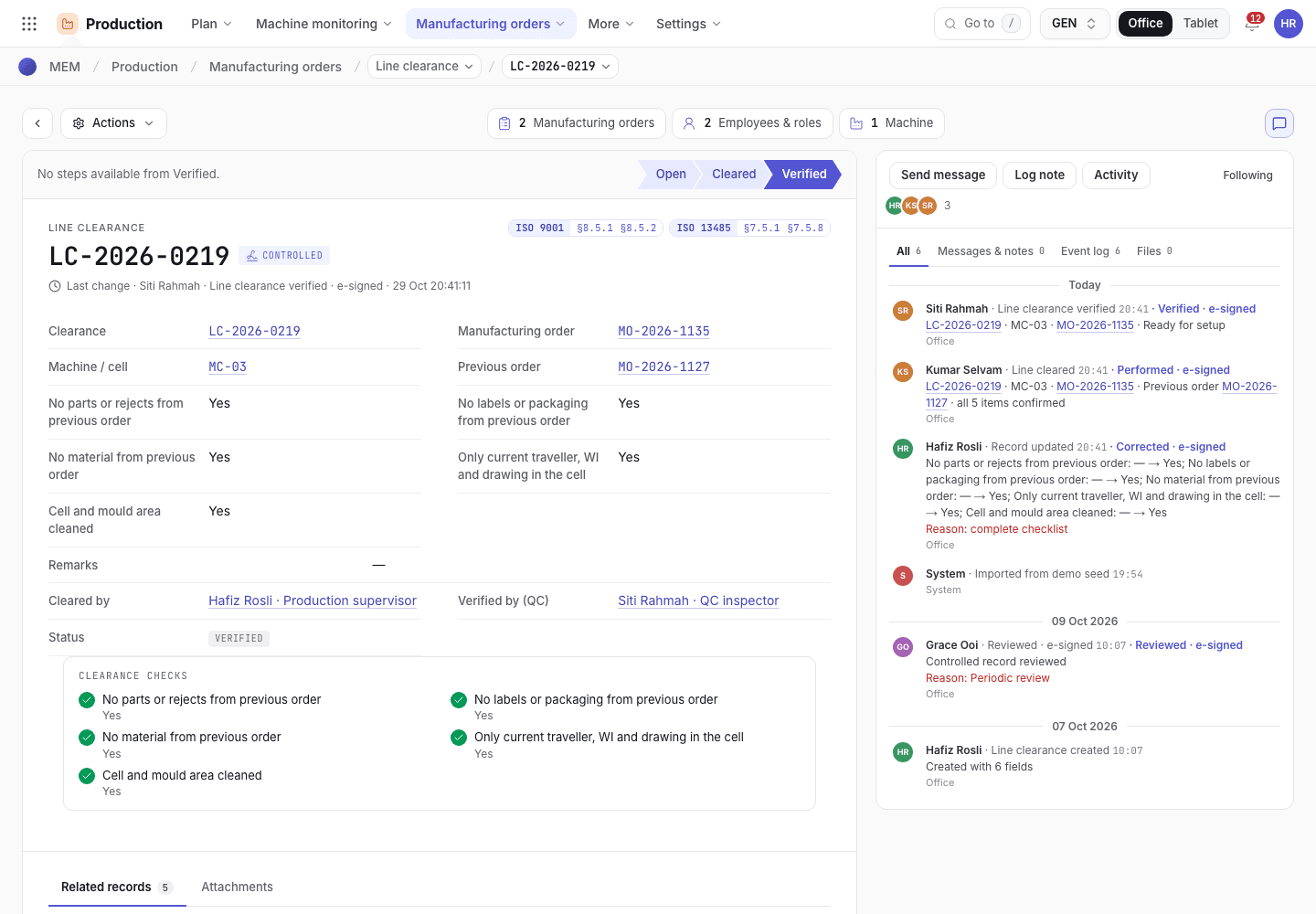
- Sign · line cleared.
- Open, Cleared and Verified.
- The five clearance checks.
Verify the clearance
A different person from the one who cleared the line opens the record. QC is the default verifier.
Choose Verify clearance and sign. The status becomes Verified and the order is "Ready for setup".
Why setup waits for a verified clearance
Setup and the phone start both check the same things before they let an order begin:
- The order has a line clearance.
- Its latest clearance is Verified, and it is for the order's machine.
- No other order is in Setup, QA Check or In Production on that machine. A paused run frees the machine. One order runs on a machine at a time.
The Org admin can set when an order needs a clearance: for every order (the default), only when the product changes, or never. The setting is in Settings > Organization, row Line clearance; see Set the line clearance rule. A clearance that is Open or Cleared still has to be verified under every value. A machine with no recorded run yet needs a clearance until its first setup. When the setting lets an order start without a clearance, the Setup started event says so.
If you move an order to another machine after it is issued, raise a new clearance for that machine. An order has one clearance being made at a time: verify the open one before starting another.
Line clearance list
Open, Cleared and Verified clearances by order and machine.
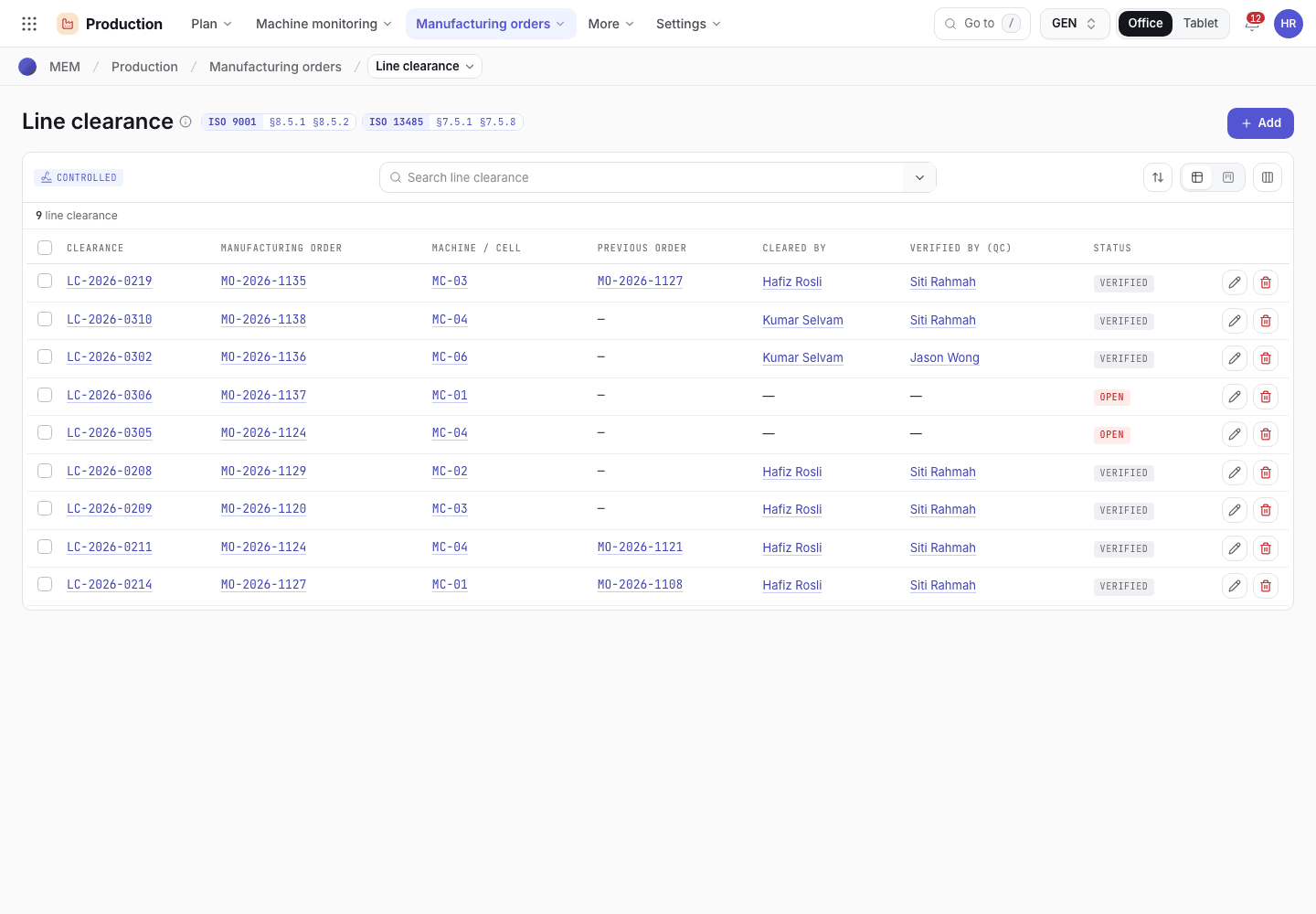
- Search.
- Order and machine of each clearance.
- Status chip.
If the system refuses
Messages shared by every flow are in Signatures and refusals. Clearance messages are in Machine floor refusals. Examples:
Line not clear: confirm {checks}when a check is not Yes.Verification must be by someone other than the person who cleared the line{machine} is running {order}; complete or pause it first.: another order still runs on the machine. The line is cleared, verified and set up only once it is free.