Complete the run and create lots
Complete the run, send the finished lot to outgoing QC, and pass or hold it.
When the planned quantity is made, the technician completes the run. The finished lot then waits for outgoing QC. The default roles are Technician (Ahmad Faizal), QC inspector (Siti Rahmah) and Store (Farah Hanim).
View as text
%% title: From the last part to the lot
flowchart LR
  A[In Production] -->|Complete run| B[QA Final, lot in Quarantine Q-FG-01]
  B -->|OQC pass| C[Completed, lot awaits lot release]
  B -->|OQC fail| D[Lot on hold, NCR raised]
  D -->|NCR closed, hold cleared| B
Complete the run
Check the Good and Scrap counters on the machine tablet. The record dialog Complete run shows Good quantity and Scrap quantity, prefilled from the tablet counters.
If QA still has to decide on held work in progress or a suspect range, do that first. See Record in-process checks.
Choose Complete run and sign. The order becomes QA Final.
The system creates the finished lot. The lot number is the organization's lot prefix, or the year and
month, followed by the digits of the order number, for example 2609-1127 for MO-2026-1127. The lot
goes to Quarantine in the finished goods bin Q-FG-01, awaiting outgoing QC. If the product has
a Shelf life (days), the lot's Expiry is today plus that many days; a product with none gives a
lot with no expiry. Three stock
movements are posted: Produce for the good parts, Scrap for the rejects, and Consume for the material
issued to the order. A run counted on the tablet cannot have its counts changed on another screen. A
count typed on the phone is held to 110% of the order quantity.
A completed manufacturing order
MO-2026-1124 with its finished lot and events.
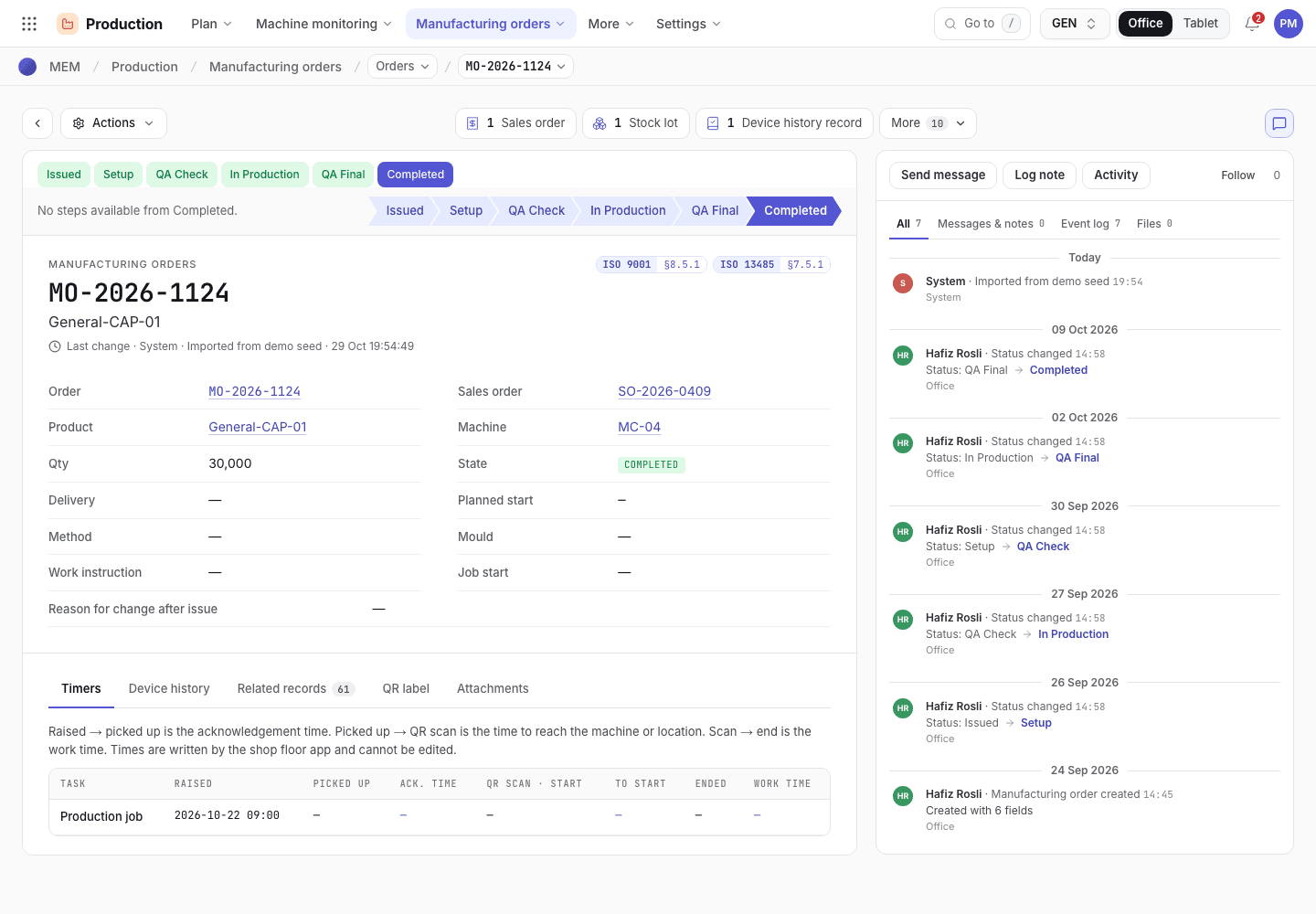
- Status chevrons up to Completed.
- Good and scrap counts and the lot.
- Events: Run completed, OQC passed.
Pass or hold the lot at outgoing QC
On the tablet the order shows "Run complete · awaiting outgoing QC". QC chooses QC · pass, then lot release. On the record the button is OQC pass · move to FG.
QC counts the sample against the sampling plan, ticks that the UDI labels, lot number and pouch count were verified on the sampled cartons, and signs. The order becomes Completed.
The lot stays in Q-FG-01 until QA signs the lot release. Only then does it become shippable, and the store keeper then posts its put-away into a finished goods bin. See Inspect outgoing lots and release them.
If the sample is above an accept number, choose QC fail · hold lot (OQC fail · hold lot on the record). Write the reason the lot fails. The lot goes on hold, an NCR is raised for a 100% sort, and the order stays in QA Final. Close the NCR with its disposition, then clear the hold to inspect again.
Find the lot in stock
Open Inventory > Stock lots (/inventory/stockLots). Every lot shows its location, status and owner.
A finished lot is created when the run is completed and keeps its link back to the order and, through the
issued material, to the supplier lot.
Stock lots
Every lot in stock with its bin and status.
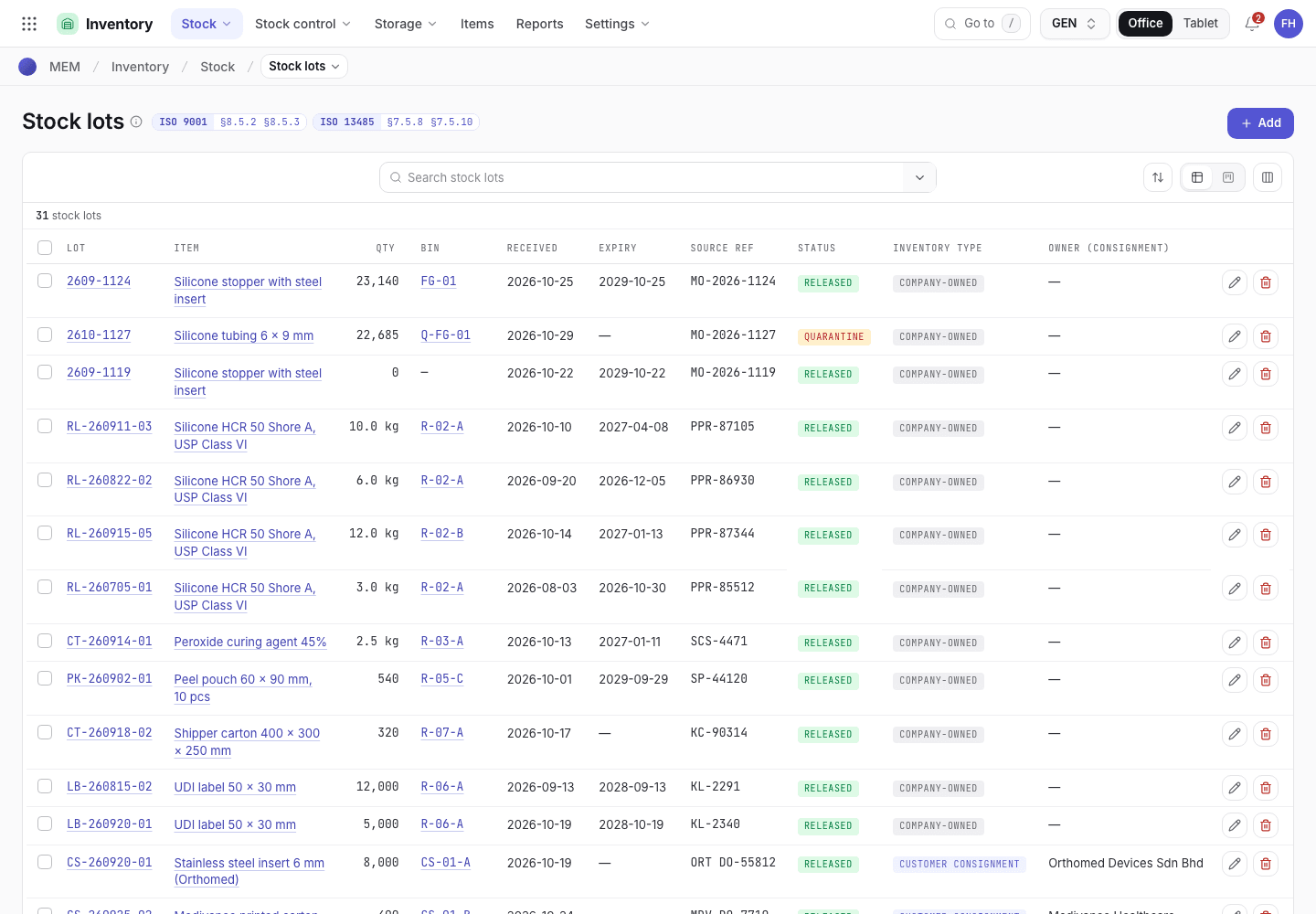
- Search.
- Lot, item and quantity.
- Bin and status.
If the system refuses
Messages shared by every flow are in Signatures and refusals. Messages for this page are in Checks and completion refusals. Examples:
Count the good parts before completing the runCall the QA manager to release or disposition the held WIP firstThe sample is above an accept number. Hold the lot and raise an NCR instead.