Maintenance
What the Maintenance role does, sees and signs in Factory OS, and how a typical day runs.
Default demo person: Zulkifli Hassan, Maintenance technician. This page describes the default access of the Maintenance role. The Org admin can change it under Settings > Roles & permissions; see Roles at a glance.
What you do
You keep machines and moulds running: planned maintenance, checklists, and mould repair job orders from request to sign-off.
Where you start
Sign in, choose your workspace, and the apps launcher opens. It shows one tile for each module your role can open. My work carries a number when records are waiting for you.
Your apps launcher
The apps launcher with the tiles this role can open.
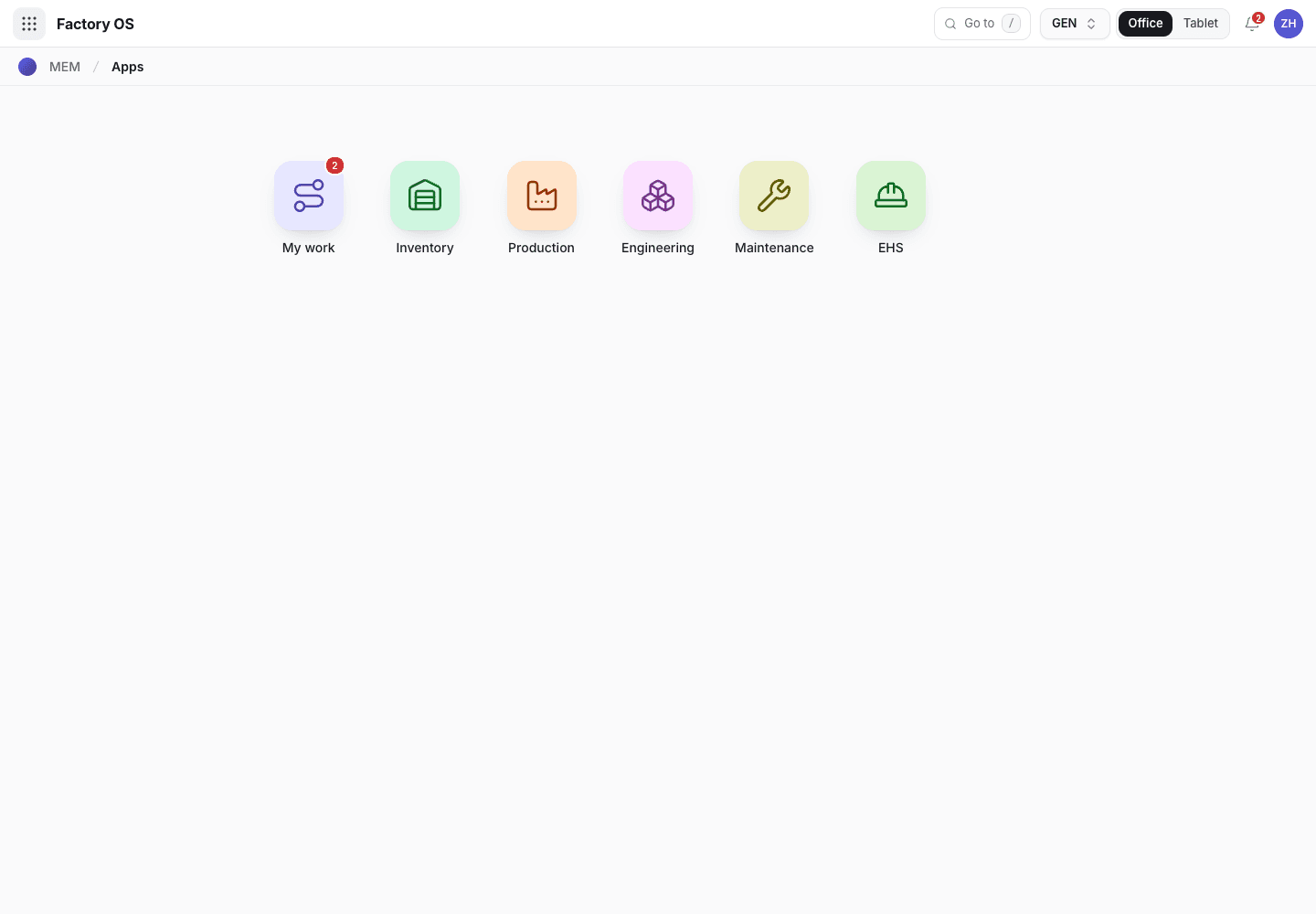
- My work: the number of records waiting on you.
- Module tiles. Only the modules your role can open appear.
- Settings, if your role has it.
Your queue on Home > Queue (My work): Mould maintenance job orders in Planned and In progress, checklist records with NG open, and machines in Maintenance.
Your work queue on a phone
My work on a phone, the records waiting for this role.
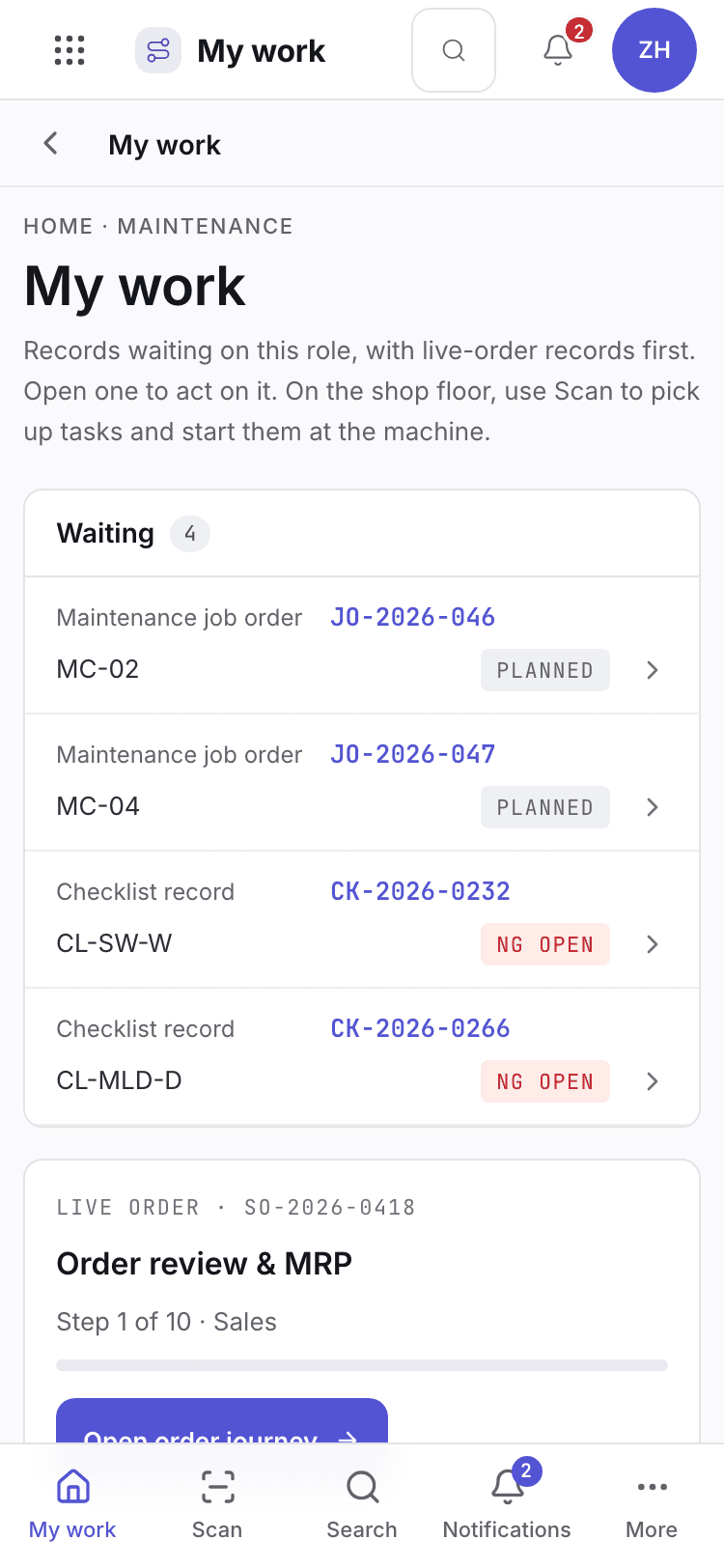
- Page title and your role.
- One card per record waiting. Live-order records come first.
- Bottom tabs to move between modules.
Your daily screens
| Screen | Where | What you do there |
|---|---|---|
| Plan | /maintenance/mplan | See the maintenance plan. |
| Machines | /maintenance/machines | The machine register. |
| PM plans | /maintenance/pmp | Preventive maintenance plans. |
| Checklists | /maintenance/mchk | Checklists to complete. |
| Records | /maintenance/chkr | Completed checklist records. |
| Moulds | /maintenance/moulds | The mould register. |
| Job orders | /maintenance/mmaint | Mould maintenance and repair jobs. |
The job orders list
Mould job orders list.
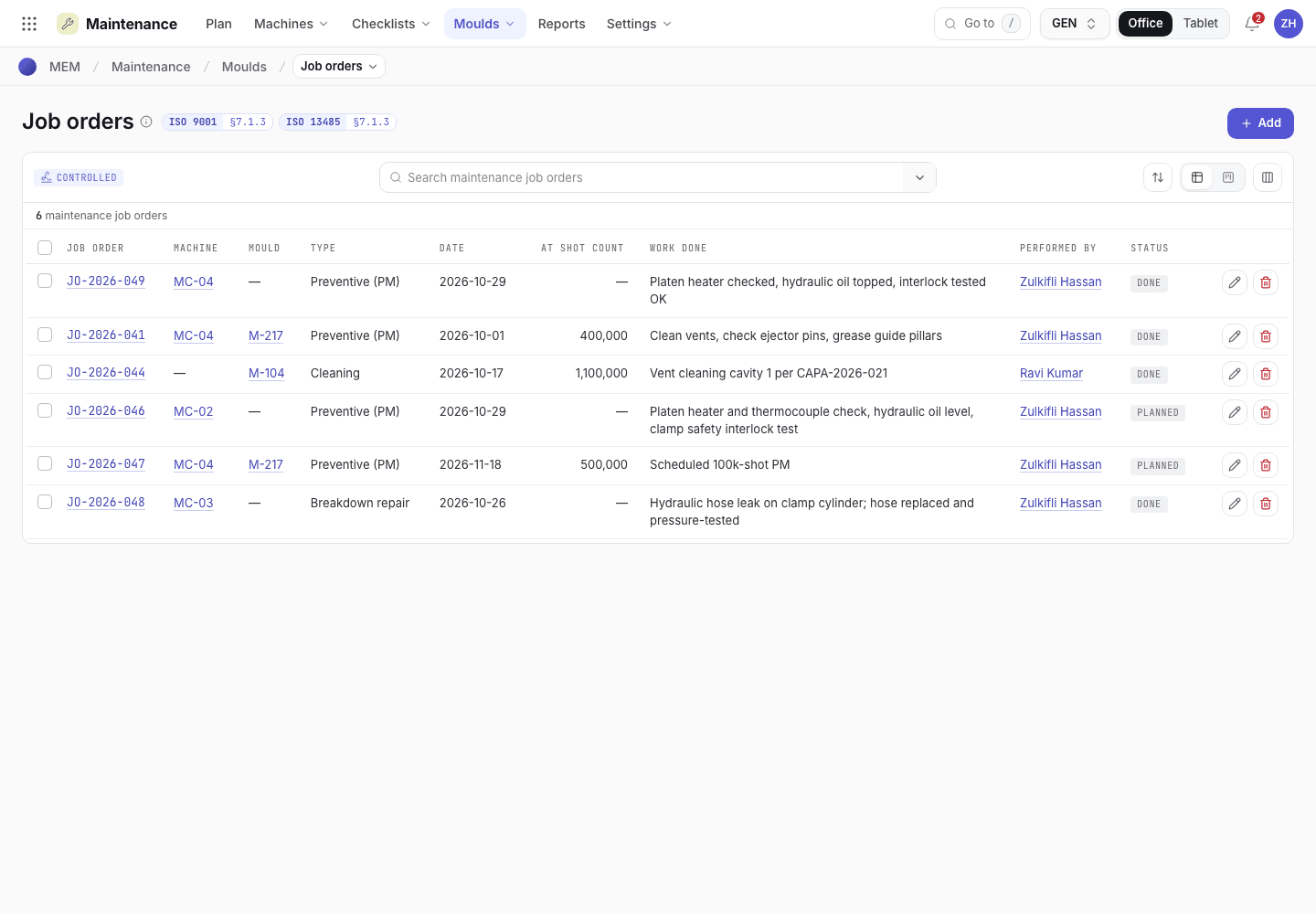
- Filter the job orders.
- Status: Planned, In progress, Handback, First-part check, Done.
- Open a job to take its next step.
What you can do
You have full access to: Maintenance, EHS. You can create, edit and take steps there.
Steps you sign, with the button names on screen:
| Record | Steps |
|---|---|
| Job orders | Start job, Complete work · hand back, Accept handback, Record first-part check, Revalidation done · first-part check |
| PM plans | Raise PM job order; Suspend and Reactivate (ask a reason) |
A signed step needs your e-signature specimen and, where a requirement is set, current training.
What you can see but not change
View access: Inventory, Production, Engineering. You can open and read these. Their action buttons are disabled with Your role can view this but not change it.
What you cannot do and who does it
| You cannot | Who does it | What you see |
|---|---|---|
| Inspect and release lots | QC inspector and QA manager | Quality is hidden for you: Your role has no access to Quality. |
| Plan or run production orders | Planner and technician | Production is View for you, so the buttons are disabled. |
| Open Settings | Org admin can change access | Your role has no access to Settings. |
Hidden for your role: Sales, Purchasing, Quality, Settings. They do not appear on the launcher. If you open one by address you see You do not have access to this page and Back to apps.
A typical day
Open My work. Read the job orders and checklist problems waiting. Details: Find your way around.
Start the next planned job order. Details: Maintenance.
Complete the work and hand the mould back. Details: Maintenance.
Record the first-part check after handback. Details: Maintenance.