Engineering
What the Engineering role does, sees and signs in Factory OS, and how a typical day runs.
Default demo person: Daniel Tan, Process engineer. This page describes the default access of the Engineering role. The Org admin can change it under Settings > Roles & permissions; see Roles at a glance.
What you do
You take a new product from development item to released method, keep products, bills of materials and work instructions current, and propose engineering changes.
Where you start
Sign in, choose your workspace, and the apps launcher opens. It shows one tile for each module your role can open. My work carries a number when records are waiting for you.
Your apps launcher
The apps launcher with the tiles this role can open.
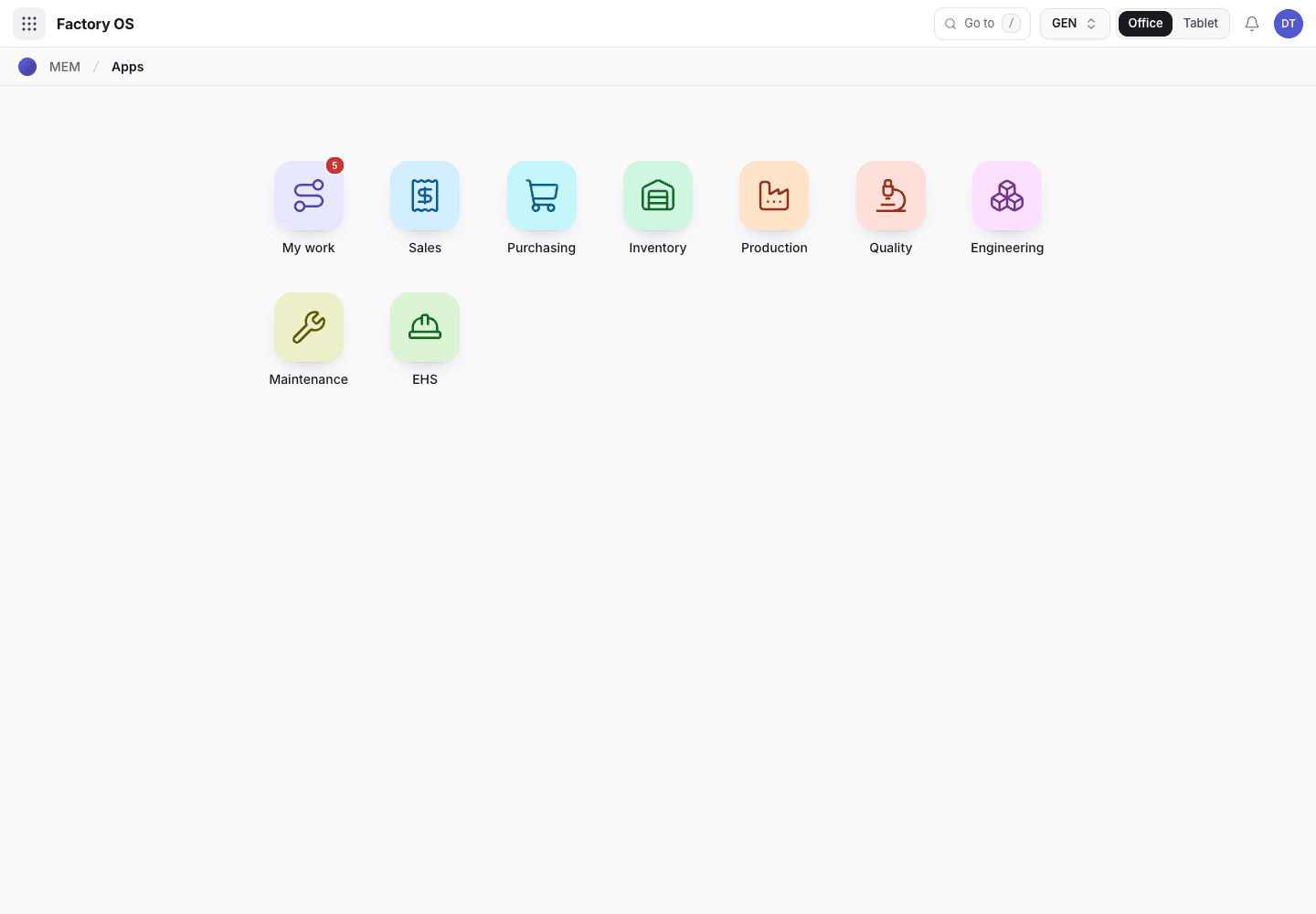
- My work: the number of records waiting on you.
- Module tiles. Only the modules your role can open appear.
- Settings, if your role has it.
Your queue on Home > Queue (My work): Production methods in Draft, and products.
Your work queue on a phone
My work on a phone, the records waiting for this role.
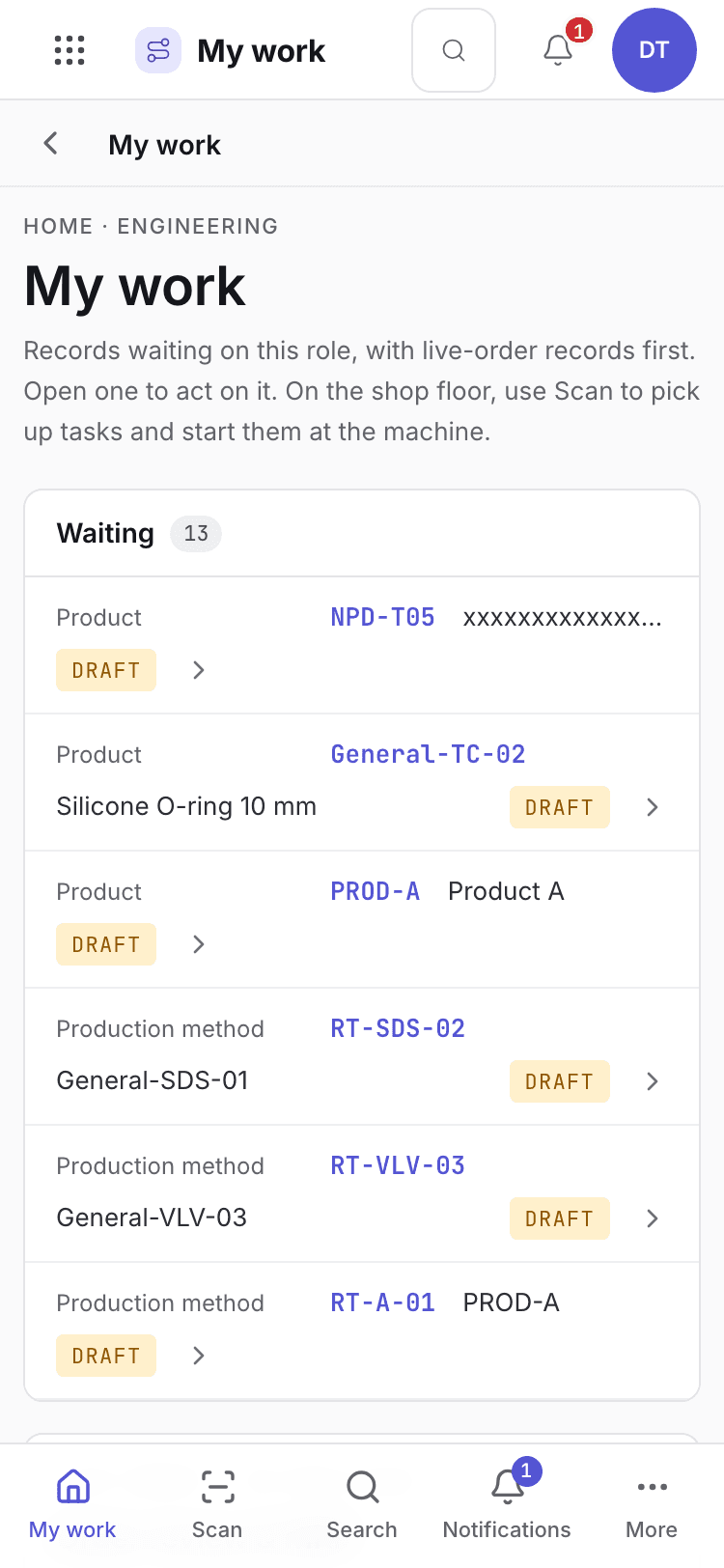
- Page title and your role.
- One card per record waiting. Live-order records come first.
- Bottom tabs to move between modules.
Your daily screens
| Screen | Where | What you do there |
|---|---|---|
| Products | /engineering/engineering | Products, revisions and bills of materials. |
| Work instructions | /engineering/steps | Step-by-step instructions for the floor. |
| Development items | /engineering/devit | Track a new product through feasibility to qualified. |
| Device files | /engineering/mdf | Device master files. |
| Engineering change notes | /engineering/chg | Propose and follow changes. |
| Process FMEA | /engineering/fmea | Score and reduce process risk. |
| Process validation | /engineering/pval | Protocols and reports. |
The products list
Engineering products list.
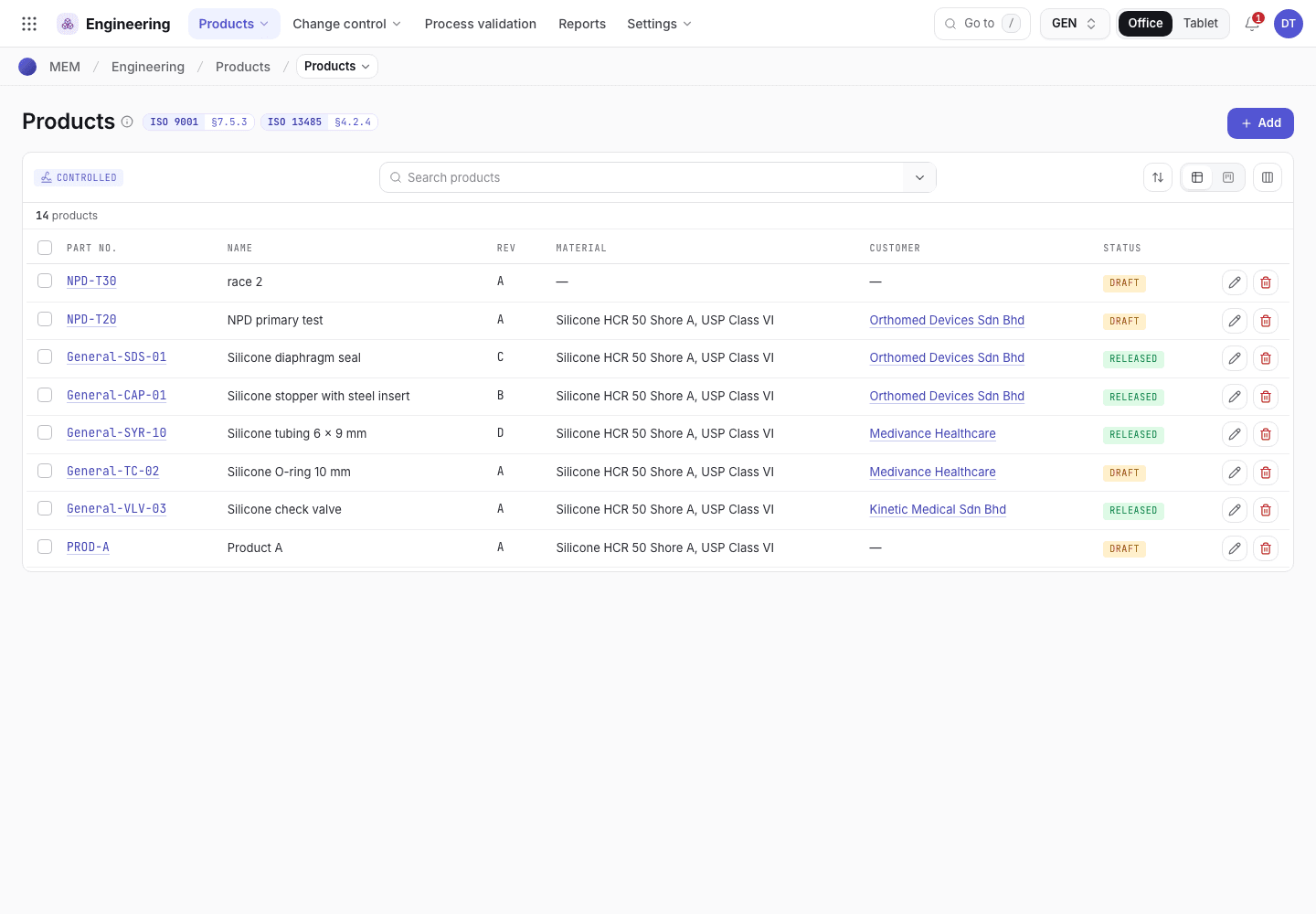
- Filter or search products.
- Revision and status of each product.
- Open a product to see its bill of materials and method.
What you can do
You have full access to: Engineering. You can create, edit and take steps there.
Steps you sign, with the button names on screen:
| Record | Steps |
|---|---|
| Products, work instructions and production methods | Submit for review, Approve, New revision |
| Process FMEA | Start action, Re-score · close, Reopen (change / new data) |
| Development items | Move to DFM review, Move to Trial, Move to First article (the QA manager signs Approve · qualified) |
A signed step needs your e-signature specimen and, where a requirement is set, current training.
What you can see but not change
View access: Sales, Purchasing, Inventory, Production, Quality, Maintenance, EHS. You can open and read these. Their action buttons are disabled with Your role can view this but not change it.
What you cannot do and who does it
| You cannot | Who does it | What you see |
|---|---|---|
| Approve a validation protocol or report | QA engineer or QA manager | This step needs a QA engineer signature. You are signed in as Daniel Tan (Process engineer). |
| Send a change to the change board | QA manager | This step needs a QA manager signature. You are signed in as Daniel Tan (Process engineer). |
| Open Inventory | Org admin can change access | Your role has no access to Inventory. |
Hidden for your role: Settings. They do not appear on the launcher. If you open one by address you see You do not have access to this page and Back to apps.
A typical day
Open My work. Read the methods in draft. Details: Find your way around.
Move the development item through its stages. Details: Development items.
Write the bill of materials and the method. Details: Bill of materials.
Write the work instructions. Details: Work instructions.
Submit each document for review and approve it. Details: Document release.
Propose a change to a released document. Details: Engineering changes.