Managing director
What the Managing director role does, sees and signs in Factory OS, and how a typical day runs.
Default demo person: Lee Chong Ming, Managing director. This page describes the default access of the Managing director role. The Org admin can change it under Settings > Roles & permissions; see Roles at a glance.
What you do
You see every module without changing it, and you sign the purchase approval levels assigned to the managing director. By default that is a purchase order over RM 100,000.
Where you start
Sign in, choose your workspace, and the apps launcher opens. It shows one tile for each module your role can open. My work carries a number when records are waiting for you.
Your apps launcher
The apps launcher with the tiles this role can open.
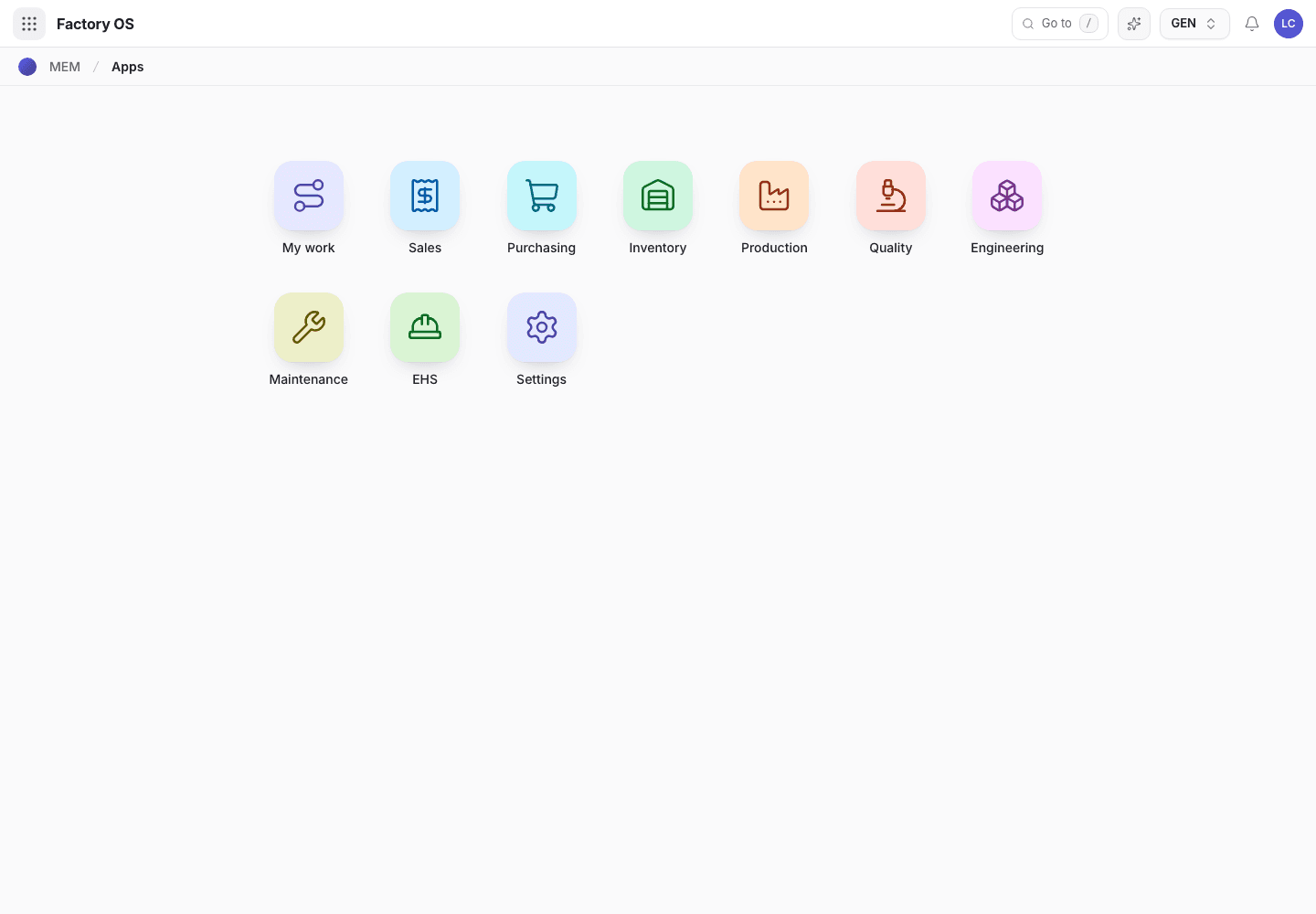
- My work: the number of records waiting on you.
- Module tiles. Only the modules your role can open appear.
- Settings, if your role has it.
Your queue on Home > Queue (My work): Nothing by default. The My work list stays empty for this role.
Your work queue on a phone
My work on a phone, the records waiting for this role.
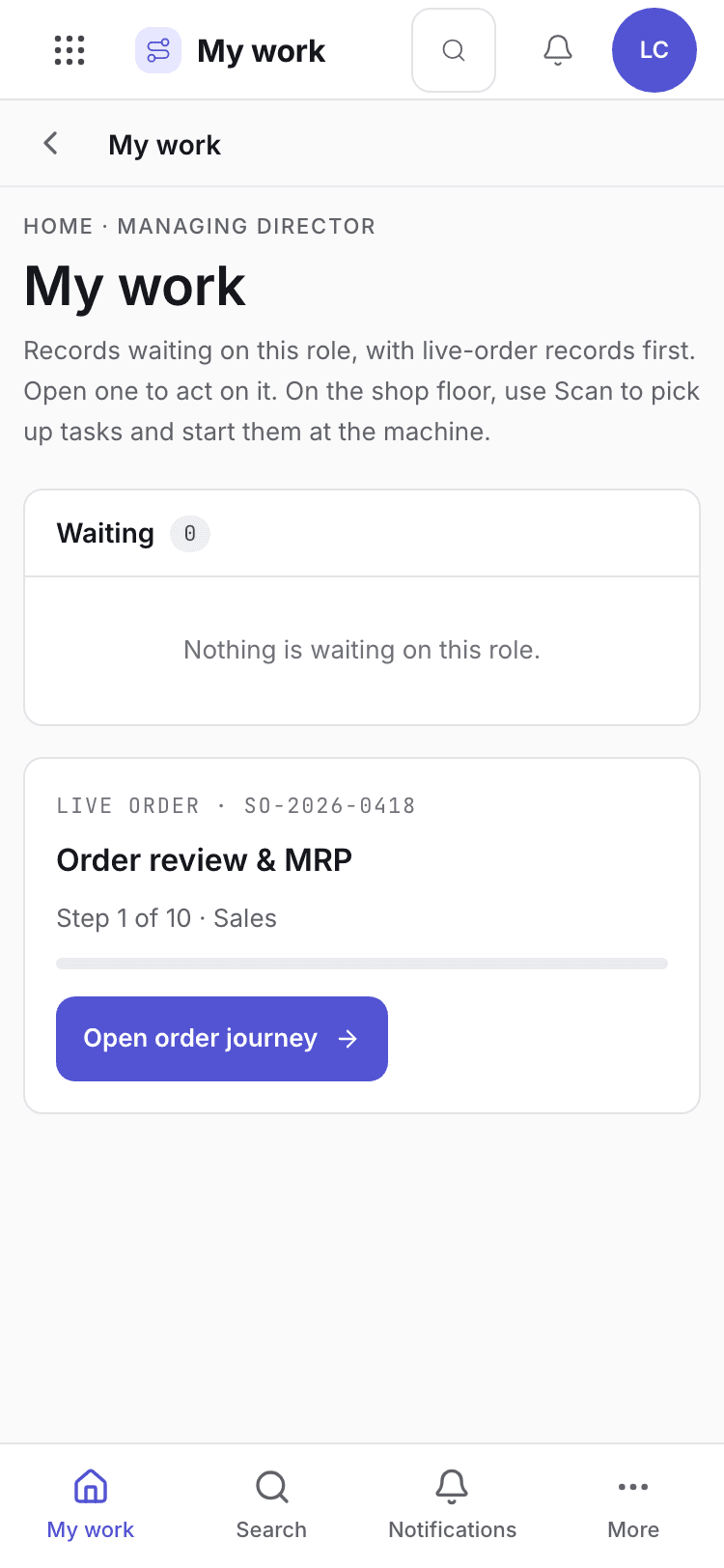
- Page title and your role.
- One card per record waiting. Live-order records come first.
- Bottom tabs to move between modules.
Your daily screens
| Screen | Where | What you do there |
|---|---|---|
| Plan | /production/planning | See what is planned and how loaded the machines are. |
| Orders | /sales/sales | See sales orders and their stage. |
| Purchase orders | /purchasing/purchasing | Open an order that waits for your approval level. |
| Reports | /sales/rptSales | Charts for sales, purchasing, stock, production and quality. |
The production plan, view only
Production plan in view-only mode.
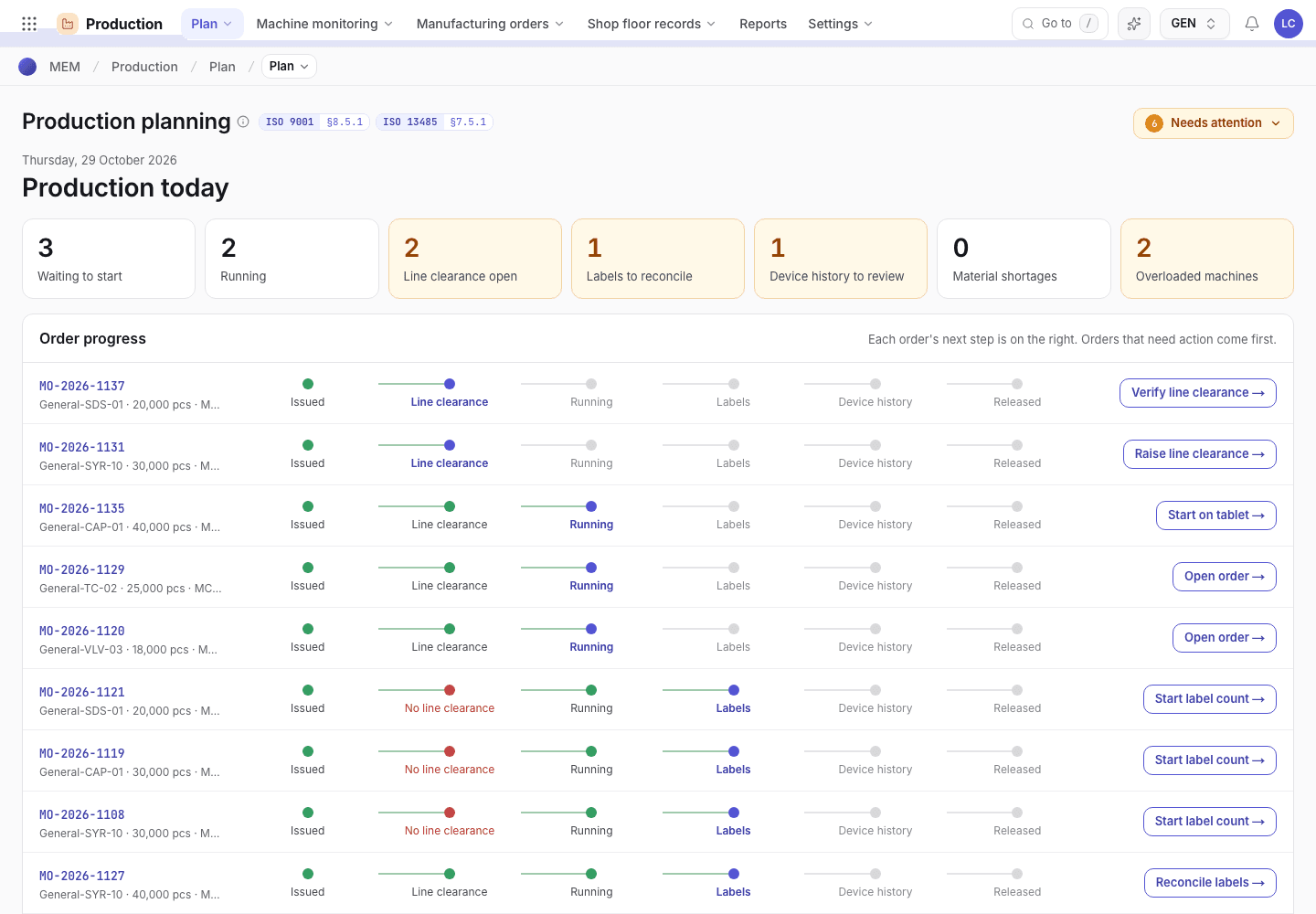
- The plan opens read only for your role.
- Each bar is an order on a machine.
What you can do
You have no module with full access. You read; you do not create or edit.
Steps you sign, with the button names on screen:
| Record | Steps |
|---|---|
| Purchase approval levels | Approve · Level {n} of {m} · Managing director on an order that reaches your level |
A signed step needs your e-signature specimen and, where a requirement is set, current training.
What you can see but not change
View access: Sales, Purchasing, Inventory, Production, Quality, Engineering, Maintenance, Settings, EHS. You can open and read these. Their action buttons are disabled with Your role can view this but not change it.
What you cannot do and who does it
| You cannot | Who does it | What you see |
|---|---|---|
| Create or edit records | The role that owns the module | Every module is View for you, so create, edit and most step buttons are disabled with Your role can view this but not change it. |
| Change roles and permissions or organization settings | Org admin | Settings is View for you. |
| Run the floor | Production roles | The machine tablet and phone scan open for floor roles only. |
A typical day
Open the launcher. Every module is available to read. Details: Find your way around.
Check the order journey and the plan. Details: From product to repeat order.
Approve the purchase orders that reach your level. Details: Approval ladder.